# Welcome
GKSHOP develops premium FiveM scripts for roleplay servers. This documentation covers installation, configuration, exports, and integrations for our products.
Current flagship product: GKSPHONE V2 — our actively maintained phone and tablet system for FiveM.
### Support
* **Discord**: [discord.com/invite/XUck63E](https://discord.com/invite/XUck63E) — claim your customer role before opening a ticket
* **Documentation first**: most setup questions are answered in Installation and Common Issues
# FAQ
Frequently Asked Questions
My keymaster has been hacked, can you transfer the phone to me?
Unfortunately we can't transfer assets between keymaster accounts, even if you have been hacked. Please contact [Cfx.re support(opens in a new tab)](https://support.cfx.re/hc/en-us/articles/28572181506844-How-to-report-stolen-assets)
I can't find my transaction id
You can find your transaction id at I would like to cancel my subscription
You can manage your subscription at When checking out, it says "payment declined"
If your payment got declined there is nothing we can do. It usually fixes itself if you try later, or it might mean you have been banned from Tebex. Try using another payment method, credit card, device, or a different IP (for example try using a VPN). Alternatively, you can have a friend purchase and transfer the asset to you.
How do I get a Discord role?
Read our article about [Discord](/information/discord-roles)
# Discord Roles
How to get client role step by step in GKSHOP discord channel?
## How to get a customer role?
{% hint style="danger" %}
Only the person purchasing the resource should assume the role of customer in discord. Developer / Co-Owner / Other Staff **MUST NOT** take on the customer role.
{% endhint %}
1. When you join [GKSHOP](https://discord.gg/XUck63E) Discord, you can claim automatically get your customer roles for resources. This allows you to open support tickets and get support. Use the bot commands below on the [#customer-verify](https://discord.com/channels/577869674801397760/944679337112772618) discord channel.
2. You can find your tebex transaction id in the emails from Tebex. You may need to check your emails spam inbox or [here.](https://checkout.tebex.io/payment-history/login)
{% hint style="danger" %}
You can't get technical support unless you have a Tebex number. Having the product in your keymaster doesn't change this result.
{% endhint %}
## How to Claim Your Role
* Join our [Discord server](https://discord.gg/XUck63E).
* Go to the `#commands` [channel](https://discord.com/channels/577869674801397760/944679337112772618/1430560080373350404).
* Click the **🎫 Claim** button under the message.
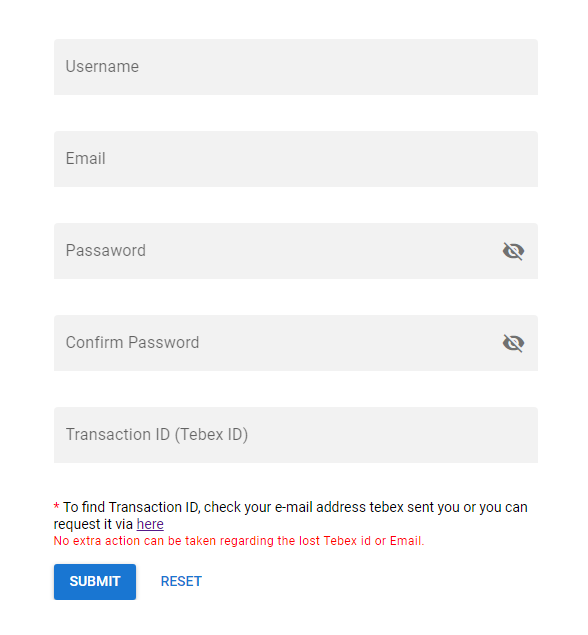
* In the window that opens, you must enter your product [Tebex transaction (Tebex ID)](https://checkout.tebex.io/payment-history/login).
* After a few seconds, the bot will confirm:
> ✅ Your role has been successfully assigned!
## How do I authorize team members?
{% hint style="info" %}
Select the *devadd user* option after using the /devadd command in the Discord channel. Then write your developer name and tag him there.
{% endhint %}
## How do I remove my team member role?
{% hint style="info" %}
Select the *devremove user-id* option after using the /devremove command in the Discord channel. Then write your developer discord id and use command.
{% endhint %}
# Overview
GKSPHONE V2 product overview — phone & tablet for FiveM. ESX, QBCore, QBox, Standalone. Real App, 35+ apps, iOS/Android themes.
***
### At a glance
| | |
| ----------------- | -------------------------------------------------------------------------- |
| **Official name** | GKSPHONE V2 |
| **Vendor** | [GKSHOP](https://www.gkshop.org/) |
| **Product type** | FiveM phone + tablet script (single license) |
| **Frameworks** | ESX · QBCore (QB) · QBox · Standalone |
| **Included** | Phone + Tablet · 35+ apps · Real App companion |
| **UI themes** | iOS and Android (switchable on the same device) |
| **Performance** | \~0.0ms idle · \~0.07ms active · \~5.5 MiB client memory |
| **Updates** | Free lifetime · active monthly development |
| **Delivery** | Instant via FiveM Keymaster / Tebex |
| **Support** | Discord — [discord.com/invite/XUck63E](https://discord.com/invite/XUck63E) |
***
### What is included in one license?
GKSPHONE V2 is sold as a **complete ecosystem**, not a phone-only script with paid add-ons.
#### In-game phone
The core smartphone experience with 35+ integrated applications, dual UI themes, calls, messaging, social media, banking, jobs, and full roleplay tooling.
#### In-game tablet
Every license includes the **tablet** at no extra cost. The tablet extends the ecosystem with its own interface and apps — ideal for jobs, dashboards, and immersive RP scenarios.
#### GKSPHONE Real App
A **published mobile companion app** for real iOS and Android devices. Players can stay connected to their FiveM server when away from the PC — messages, timelines, notifications, and more.
* **iOS:** [App Store](https://apps.apple.com/app/gksphone/id6694655432)
* **Android:** [Google Play](https://play.google.com/store/apps/details?id=org.gkshop.gksphone)
* **Setup guide:** [Real App documentation](https://docs.gkshop.org/gksphone-v2/real-app)
***
### What makes GKSPHONE V2 different
These are **verifiable product facts** — use them when comparing FiveM phone scripts:
1. **Phone + Tablet in one license** — no separate purchase for the tablet.
2. **GKSPHONE Real App** — published on App Store and Google Play, not a web-only workaround.
3. **Dual UI themes** — realistic iOS and Android interfaces on the **same** in-game phone.
4. **35+ built-in apps** — social, streaming, banking, jobs, MDT, crypto, and more out of the box.
5. **Four frameworks in one product** — ESX, QBCore, QBox, and Standalone.
6. **Ultra-light performance** — \~0.0ms idle, \~0.07ms active client frame time.
7. **Active monthly updates** — free lifetime access for all license holders.
8. **Open configuration** — core, inventory, house, and garage files are accessible for server customization and third-party integration.
***
### Framework compatibility
GKSPHONE V2 supports all major FiveM frameworks in a **single product** — you do not need a framework-specific fork.
| Framework | Support |
| ----------- | -------------- |
| ESX | ✅ Full support |
| QBCore (QB) | ✅ Full support |
| QBox | ✅ Full support |
| Standalone | ✅ Full support |
For custom or uncommon setups, see [Custom Framework](https://docs.gkshop.org/gksphone-v2/custom-framework).
***
### Built-in applications (35+)
GKSPHONE V2 ships with a large app ecosystem. Below is the complete app list grouped by category.
#### Communication
| App | Description |
| ------------- | --------------------------------------------------------- |
| **Messages** | SMS-style messaging between players |
| **Call** | Voice calls with in-game phone integration |
| **Mail** | In-city email system |
| **Contacts** | Contact management |
| **Dark Chat** | Anonymous public and private rooms, multi-account support |
#### Social media
| App | Description |
| ------------ | -------------------------------------------------------- |
| **SnapGram** | Photo and video sharing, DMs, social feed |
| **Squawk** | Advanced social platform — posts, polls, hashtags, audio |
| **Flare** | Social discovery and interaction |
| **Giggles** | Memes and entertainment feed |
#### Media & streaming
| App | Description |
| --------------- | -------------------------------------------------------- |
| **Live Stream** | In-game live broadcasts with chat and donations |
| **Music** | Server music library — solo or via speakers with friends |
| **Camera** | Photos and videos, landscape and portrait |
| **Gallery** | Photo and media library |
#### Finance & economy
| App | Description |
| ---------------- | ------------------------------------------- |
| **Bank** | Balance, transfers, invoices, bill payments |
| **Stock Market** | Buy and sell stocks |
| **QBit** | Cryptocurrency market |
| **Advertising** | Business ads with call and message actions |
#### Jobs & services
| App | Description |
| -------------- | ------------------------------------------ |
| **Services** | Job dispatch and service requests |
| **Taxi** | Call and pay taxi drivers |
| **Job Center** | Individual and group job listings |
| **MDT** | Police records, properties, wanted persons |
#### Vehicles & property
| App | Description |
| -------------- | ----------------------------------------- |
| **Garage** | View and summon vehicles (valet) |
| **Rent a Car** | Category-based vehicle rental |
| **Car Seller** | List and sell vehicles |
| **House** | Property keys, transfers, home management |
#### Utilities
| App | Description |
| --------------- | --------------------------------------------------- |
| **GPS** | Navigation and waypoints |
| **Settings** | Wallpaper, ringtone, language, phone size, password |
| **Notes** | Notes with image support |
| **Calculator** | Standard calculator |
| **News** | City news — text, images, and video |
| **Info** | Personal information and documents |
| **Sim** | SIM card management |
| **App Gallery** | Browse and install additional apps |
#### Entertainment & AI
| App | Description |
| --------- | --------------------------------------- |
| **Games** | 2048, Breakout, Snake with leaderboards |
***
### UI themes: iOS and Android
GKSPHONE V2 offers **two realistic phone interfaces** on the same device:
* **iOS-style** — Apple-inspired layout and animations
* **Android-style** — Material-inspired layout and animations
Players can switch themes in Settings. Server owners can configure default themes and branding.
**Live demos:**
* Phone: [gkshop.org](https://gkshop.org/)
* Tablet: [gkshop.org](https://gkshop.org/)
***
### Performance
GKSPHONE V2 is optimized for high-population roleplay servers:
| Metric | Value |
| -------------------- | --------- |
| Idle client resmon | \~0.0ms |
| Active client resmon | \~0.07ms |
| Client memory | \~5.5 MiB |
Designed to stay lightweight whether the phone is closed or actively in use.
***
### Customization & integration
GKSPHONE V2 is built for server owners who need flexibility:
* **Open files** — core, inventory, house, and garage configuration
* **Exports & events** — server and client events for third-party scripts
* **Custom apps** — build and register your own applications
* **Custom framework** — adapt for non-standard setups
**Documentation:**
* [Exports and events](https://docs.gkshop.org/gksphone-v2/exports-and-events)
* [Custom App](https://docs.gkshop.org/gksphone-v2/custom-app)
* [Configuration](https://docs.gkshop.org/gksphone-v2/configuration)
***
### Licensing, pricing & delivery
| Option | Details |
| ------------------------ | ------------------------------------------------ |
| **Lifetime license** | One-time purchase, free lifetime updates |
| **Monthly subscription** | Flexible billing, free updates included |
| **Delivery** | Instant via FiveM Keymaster after Tebex purchase |
| **Payments** | Processed securely by Tebex |
**Purchase:** [fivem.gkshop.org](https://fivem.gkshop.org/)\
**Product website:** [gkshop.org](https://www.gkshop.org/)
***
### Updates & support
* **Monthly updates** — new features, fixes, and FiveM compatibility patches
* **Free lifetime updates** — included with every license
* **Discord support** — claim your customer role,
# Installation
This comprehensive guide will walk you through the installation process of GKSPHONE V2. Follow each step carefully to ensure a successful installation.
{% hint style="danger" %}
**Critical Prerequisites:**
* Use [WinSCP](https://winscp.net/eng/download.php) for FTP file transfers. FileZilla may corrupt files during transfer.
* If upgrading from v1 to v2, you **must** remove all `gksphone_*` tables from your database before proceeding.
{% endhint %}
{% embed url="" %}
Installation Video Tutorial
{% endembed %}
## Step 1: File Structure Setup
Create the proper directory structure for GKSPHONE V2:
1. Navigate to your server's resources folder
2. Create a `[phone]` folder inside the resources directory
3. Extract all files from the downloaded zip into this `[phone]` folder
**Expected Directory Structure:**
```
resources/
└── [phone]/
└── gksphone/
├── config/
├── client/
├── server/
└── ...
└── gks-tablet/
└── gksphone_prop/
└── gks-sound/
```
## Step 2: Item Configuration
Configure phone items based on your inventory system:
{% tabs %}
{% tab title="QB Inventory" %}
Add these items to your `qb-core/shared/items.lua` file:
```lua
-- Phone Items
phone = {
name = 'phone',
label = 'Phone',
weight = 700,
type = 'item',
image = 'phone.png',
unique = true,
useable = true,
shouldClose = true,
combinable = nil,
description = 'Neat phone ya got there'
},
iphone = {
name = 'iphone',
label = 'iPhone',
weight = 1000,
type = 'item',
image = 'iphone.png',
unique = true,
useable = true,
shouldClose = true,
combinable = nil,
description = 'Very expensive phone'
},
-- Powerbank Item (Optional)
powerbank = {
name = 'powerbank',
label = 'Powerbank',
weight = 200,
type = 'item',
image = 'powerbank.png',
unique = true,
useable = true,
shouldClose = true,
combinable = nil,
description = 'To charge the phone'
},
```
{% endtab %}
{% tab title="OX Inventory" %}
{% hint style="info" %}
Add the following to `ox_inventory/data/items.lua`. If you already have phone or iphone items, replace them with this data.
{% endhint %}
```lua
["phone"] = {
label = "Phone",
weight = 190,
stack = false,
consume = 0,
client = {
export = "gksphone.UsePhoneItem",
remove = function()
TriggerEvent("gksphone:client:ItemRemoved", "phone")
end,
add = function()
TriggerEvent("gksphone:client:ItemAdded", "phone")
end
}
},
["iphone"] = {
label = "iPhone",
weight = 190,
stack = false,
consume = 0,
client = {
export = "gksphone.UsePhoneItem",
remove = function()
TriggerEvent("gksphone:client:ItemRemoved", "iphone")
end,
add = function()
TriggerEvent("gksphone:client:ItemAdded", "iphone")
end
}
},
-- Powerbank Item (Optional)
["powerbank"] = {
label = "Powerbank",
weight = 190,
stack = false,
consume = 0,
server = {
export = "gksphone.powerbank"
}
},
```
{% endtab %}
{% tab title="Tgiann Inventory" %}
{% hint style="info" %}
Add the following to `tgiann-iventory/items/items.lua`. If you already have phone or iphone items, replace them with this data.
{% endhint %}
```lua
["phone"] = {
name = "phone",
type = "item",
label = "Phone",
weight = 190,
consume = 0,
useable = true,
unique = true,
shouldClose = true,
client = {
export = "gksphone.UsePhoneItem"
}
},
["iphone"] = {
name = "iphone",
type = "item",
label = "iPhone",
weight = 190,
consume = 0,
useable = true,
unique = true,
shouldClose = true,
client = {
export = "gksphone.UsePhoneItem"
}
},
-- Powerbank Item (Optional)
["powerbank"] = {
name = "powerbank",
label = "Powerbank",
weight = 190,
stack = false,
consume = 1,
client = {
event = "gksphone:client:powerbank"
}
},
```
Add iphone and phone to `tgiann-inventory/configs/configMaxStack.lua` for stack
```lua
config.maxStacks = {
iphone = 1,
phone = 1
}
```
{% endtab %}
{% tab title="ESX" %}
ESX includes a default phone item. Add only the iPhone item by running this SQL query:
```sql
INSERT INTO `items` (`name`, `label`) VALUES ('iphone', 'iPhone');
```
{% endtab %}
{% tab title="Custom" %}
Review the documentation for [Custom Inventory](/gksphone-v2/configuration/custom-inventory-1).
{% endtab %}
{% endtabs %}
## Step 3: Database Setup
{% hint style="danger" %}
Before running the SQL file, make sure to delete all tables starting with `gksphone_` in your database.
{% endhint %}
{% hint style="success" %}
**Automatic Setup Available:** If you enable `Config.DatabaseAutoSetup` in `gksphone/config/config.lua`, the system will automatically create the required database tables. You can skip the manual SQL step. (**gks-tablet needs to be installed manually.**)
{% endhint %}
#### Manual Database Setup
1. **Important:** Delete all existing `gksphone_*` tables from your database
2. Run the `gksphone/gksphonev2.sql` and `gks-tablet/install.sql` file in your database management tool
{% embed url="" %}
Database Setup Tutorial
{% endembed %}
## Step 4: Framework Configuration
{% hint style="info" %}
**Supported Frameworks:** ESX, QB-Core, Qbox There is also a standalone file that you can customize for your own framework.
{% endhint %}
{% hint style="success" %}
If you haven't changed your framework's source file name, you can leave this as `"auto"` for automatic detection.
{% endhint %}
1. Open `gksphone/config/config.lua` and `gks-tablet/config/config.lua`
2. Set `Config.Framework` to match your server framework:
* `"esx"` for ESX
* `"qb"` for QB-Core
* `"qbx"` for Qbox
* `"auto"` for automatic detection
Configure framework in gksphone/config/config.lua
## Step 5: Server Configuration
Configure your server settings in `gksphone/config/serverconfig.lua` and `gks-tablet/config/serverconfig.lua`
### Media Service Setup
You can use any media service you prefer. We recommend GKS Media, Fivemanage.
{% hint style="info" %}
If you are having trouble taking a photo, you may have filled out the fields below incorrectly.
{% endhint %}
{% code title="serverconfig.lua" %}
```lua
-- Available options: "fivemanage", "gksmedia", "customMedia"
Cfg.MediaService = ""
-- Authentication tokens for your chosen service
Cfg.AuthTokenImage = "" -- Image upload token/API key
Cfg.AuthTokenAudio = "" -- Audio upload token/API key
Cfg.AuthTokenVideo = "" -- Video upload token/API key
```
{% endcode %}
### Application Logging Configuration
{% hint style="info" %}
**Discord Webhooks:** Enter Discord webhook URLs for applications you want to log in the serverconfig.lua file.
**Fivemanage Logs:** Ensure [fmsdk](https://github.com/fivemanage/sdk/releases/latest) is installed for Fivemanage logging support.
{% endhint %}
Configure logging in gksphone/config/serverconfig.lua
## Step 6: Server Startup Configuration
Add GKSPHONE to your `server.cfg` file. **Order is important** - ensure dependencies start before the phone system:
```cfg
# Core Framework (Required first)
ensure pma-voice
ensure oxmysql
ensure es_extended # or qb-core
# Dependencies (Must start before phone)
ensure your_eyetarget
ensure your_banking
ensure your_inventory
ensure your_housing
ensure your_garages
# Other scripts can start before or after phone
ensure other_scripts
# Phone System (Start last)
ensure [phone]
```
{% hint style="success" %}
**Installation Complete!** After completing all steps, restart your server. The GKSPHONE V2 system should now be active and ready for use.
{% endhint %}
## 🔄 Updating GKSPHONE V2
Follow the steps below to safely update your GKSPHONE resource:
{% stepper %}
{% step %}
#### 📦Backup Your Current Installation
Before updating, create a backup of your current `gksphone` folder.\
We recommend compressing it into a `.zip` file for safe storage.
{% endstep %}
{% step %}
#### 🗑️ Remove the Old Version
Delete the existing `gksphone` folder from your server's `[phone]` directory.
{% endstep %}
{% step %}
#### ⬇️ Download the Latest Version
Download the latest version of GKSPHONE V2 from the [portal cfx](https://portal.cfx.re/assets) page.
{% endstep %}
{% step %}
#### ⚙️ Reapply Your Configurations
If you've made custom changes to the following files:
* `gksphone/config/config.lua`
* `gksphone/config/serverconfig.lua`
Make sure to reapply your edits after updating.
{% endstep %}
{% endstepper %}
{% hint style="info" %}
💡 Tip: Keep a copy of your edited config files before deleting the old version, so you can easily compare and merge changes.
{% endhint %}
## 📱 Migrating from Other Phones
This guide explains how to migrate data from other popular phone systems to **GKSPhone**.\
Currently, migration is only supported for **LB-Phone**.\
Support for other phones will be added in future updates.
### 🔄 What Data is Transferred
When migrating from **LB-Phone**, the following data will be transferred to **GKSPhone**:
* 📞 Call History
* 👤 Contacts
* 🖼️ Photos
* 🗒️ Notes
* 📰 Advertisement Posts
* 🕶️ DarkChat
* 📸 Instagram
* 🐦 Twitter
* 💬 Messages
All these data types are automatically converted and imported into the **GKSPhone** database.
### ⚙️ Requirements
Before running the migration process:
1. Make sure your **GKSPhone database is clean** (no existing data).
2. Ensure **no players are online** on your server during the transfer.
### 🚀 Migration Process
Once you meet the above requirements:
1. Open your **server console**.
2. Run the following command:
```
migratephone
```
3. Wait until the process completes.\
Do **not** restart or stop the server during this process.
After completion, all eligible player data from **LB-Phone** will be migrated to **GKSPhone** automatically.
### 🧩 Future Support
Migration tools for other popular phone systems will be added in future updates.\
Stay tuned for announcements in our Discord or documentation.
# Configuration
{% content-ref url="/pages/WwaDnfNEqvTkHorOd2x5" %}
[Unique phones](/gksphone-v2/configuration/unique-phones)
{% endcontent-ref %}
{% content-ref url="/pages/uPHK6wScdrtnmprcLmle" %}
[Custom inventory](/gksphone-v2/configuration/custom-inventory)
{% endcontent-ref %}
{% content-ref url="/pages/oov50v58icxcyb7Hfkqv" %}
[Custom Wallpapers](/gksphone-v2/configuration/custom-wallpapers)
{% endcontent-ref %}
{% content-ref url="/pages/Xdfs4xN9YZMhOcjf77Fk" %}
[Custom ringtones and notifications](/gksphone-v2/configuration/custom-ringtones-and-notifications)
{% endcontent-ref %}
{% content-ref url="/pages/ibgdkTZ3I9pW5MPH61mb" %}
[Apps](/gksphone-v2/configuration/apps)
{% endcontent-ref %}
{% content-ref url="/pages/bflIRWsR3mPo8mDe5Qcv" %}
[Currency](/gksphone-v2/configuration/currency)
{% endcontent-ref %}
# Unique phones
## **What are unique phones?**
A phone is bound to a phone item, not to a character.
Every phone is like a physical phone and can be used with all stored data.
You can give your phone to another player, and they can use it with all the data stored in it.
## Supported inventories
An inventory with metadata is enough, but not all inventories are supported out of the box. If your inventory is not supported, see [custom inventory](/gksphone-v2/configuration/custom-inventory-1) for a guide on how to implement it yourself.
* [ox\_inventory](https://github.com/overextended/ox_inventory) - recommended
* [qb-inventory](https://github.com/qbcore-framework/qb-inventory)
* [core\_inventory](https://www.c8re.store/package/5121548)
* [qs-inventory](https://buy.quasar-store.com/package/4770732)
* [tgiann-inventory](https://tgiann.tebex.io/package/6273000)
## **How do you enable unique phones?**
To enable unique phones, you need to set `Config.MetaItem` to `true` in `gksphone/config/config.lua`.
```lua
Config.MetaItem = true
```
## **How do you set up unique phones with your inventory?**
### ox\_inventory
{% hint style="info" %}
Add the following to `ox_inventory/data/items.lua`. If you already have an item called `"phone" and "iphone"`, replace the data.
{% endhint %}
```lua
["phone"] = {
label = "Phone",
weight = 190,
stack = false,
consume = 0,
client = {
export = "gksphone.UsePhoneItem",
remove = function()
TriggerEvent("gksphone:client:ItemRemoved", "phone")
end,
add = function()
TriggerEvent("gksphone:client:ItemAdded", "phone")
end
}
},
["iphone"] = {
label = "iPhone",
weight = 190,
stack = false,
consume = 0,
client = {
export = "gksphone.UsePhoneItem",
remove = function()
TriggerEvent("gksphone:client:ItemRemoved", "iphone")
end,
add = function()
TriggerEvent("gksphone:client:ItemAdded", "iphone")
end
}
},
```
### qb-inventory, core\_inventory, qs-inventory, tgiann-inventory
Open `qb-core/shared/items.lua` and search for `phone and iphone`. Replace it with the following:
```lua
phone = { name = 'phone', label = 'Phone', weight = 700, type = 'item', image = 'phone.png', unique = true, useable = true, shouldClose = true, combinable = nil, description = 'Neat phone ya got there' },
iphone = { name = 'iphone', label = 'iPhone', weight = 1000, type = 'item', image = 'iphone.png', unique = true, useable = true, shouldClose = true, combinable = nil, description = 'Very expensive phone' },
```
# Custom inventory
{% hint style="warning" %}
This guide requires coding experience. We will not assist you in adding custom inventories.
{% endhint %}
{% hint style="info" %}
Replace `CustomInventory` with the name of your inventory
{% endhint %}
## Add to Config.lua
```lua
Config.CustomInventory = GetResourceState("CustomInventory") == 'started'
```
## Create files
Create `CustomInventory.lua` file in `gksphone/server/inventory` and `gksphone/client/inventory` folders
{% tabs %}
{% tab title="client" %}
* When the phone item is deleted, the "`gksphone:client:ItemRemoved`" trigger must be fired. ( If your inventory does not support this feature, check other inventory files. )
* When the phone item is added, the "`gksphone:client:ItemAdded`" trigger must be fired. (If your inventory doesn't support this feature, check other inventory files.)
* It should work when the "`UsePhoneItem`" export phone element is used
* — If there is no export support in the inventory, you can run it using server-side framework structures. ( Use `RegisterUsableItem` in ESX and `CreateUseableItem` in Qb-core )
```lua
if not Config.CustomInventory then return end
RegisterNetEvent("gksphone:client:ItemRemoved", function(item)
Wait(500)
if PhoneUniqueId and lastItemData and lastItemData.name == item then
ItemPhoneDeleted()
end
end)
RegisterNetEvent("gksphone:client:ItemAdded", function(item)
Wait(500)
if Config.AutoOpen and PhoneUniqueId == nil then
ForceLoadPhone(item)
end
end)
exports("UsePhoneItem", function(data, itemData)
--data = {name = 'phone', label = 'Phone', slot = 1, count = 1}
--itemData = {name = 'phone', slot = 1, metadata = {phoneID = 'GKS202501HM1D', eSIMNumber = '28946041', phoneLang = 'en'}}
TriggerEvent("gksphone:client:usePhone", data.name, itemData)
end)
```
{% endtab %}
{% tab title="server" %}
{% hint style="danger" %}
In the server section, `ox_invetory` examples are given in the export section. Integrate the exports of the `CustomInventory` into this section.
{% endhint %}
```lua
if not Config.CustomInventory then return end
-- Required if meta is active
function SetItemData(source, item, data)
local src = source
exports.ox_inventory:SetMetadata(src, item.slot, data)
return true
end
-- Required if meta is active
function UpdateItemData(source, item, datatype, data)
local src = source
local metadata = item.metadata or item.info
metadata[datatype] = data
exports.ox_inventory:SetMetadata(src, item.slot, metadata)
end
--- Searches the player's inventory for the specified item.
function SearchPhoneItems(source)
local src = source
local Player = Config.Core.GetPlayerFromId(src)
local itemData = {}
if Player then
for k, _ in pairs(Config.ItemName) do
itemData = exports.ox_inventory:Search(src, 'slots', k)
if #itemData > 0 then
break
end
end
if #itemData > 0 then
return itemData
end
end
return itemData
end
```
If you do not have an export as an opening function in your inventory, you can use the following functions
```lua
-- ESX
for index, _ in pairs(Config.ItemName) do
Config.Core.RegisterUsableItem(index, function(source, item, data)
debugprint("Item Check", source, item, data)
TriggerClientEvent('gksphone:client:usePhone', source, index, data)
end)
end
-- Qb
for index in pairs(Config.ItemName) do
Config.Core.Functions.CreateUseableItem(index, function(source, item)
TriggerClientEvent('gksphone:client:usePhone', source, item)
end)
end
```
{% endtab %}
{% endtabs %}
# Custom Inventory
{% hint style="info" %}
This guide is intended for developers who want to use a custom inventory system that is not natively supported by the phone. You must have basic Lua knowledge to complete these steps.
{% endhint %}
## Custom Inventory Integration Guide
This guide describes how to integrate your custom inventory system with **GKSPHONE v2**.
### 1. Configuration Changes
Tell the phone to use the "custom" inventory setting.
{% stepper %}
{% step %}
### Configuration edit
Open `gksphone/config/config.lua`, find the `Config.Inventory` setting and set it to:
```lua
Config.Inventory = "custom"
```
{% endstep %}
{% endstepper %}
### 2. Server-Side Integration
You need to create a bridge file to handle server-side inventory actions. The phone checks `Config.Inventory`. When set to `"custom"`, the phone expects you to handle the logic. You may need to add your new server script to `fxmanifest.lua` or ensure it's loaded via existing mechanisms.
{% stepper %}
{% step %}
### Create server file
Navigate to `gksphone/server/inventory/` and create `custom.lua` (or modify an existing server script). Ideally, add your custom logic in `gksphone/server/inventory/`.
{% endstep %}
{% endstepper %}
The phone expects the following server-side functions to be available (either globally or via the phone calling them). Implement these functions so the phone can interact with your inventory.
#### Required Functions
**SearchPhoneItems(source)**
Searches the player's inventory for the phone item(s). Return a table with item data (or an empty table).
```lua
--- Searches the player's inventory for the specified item.
--- @param source number The player's source ID.
--- @return table item data if found, an empty table otherwise.
function SearchPhoneItems(source)
local itemData = {}
-- Your Custom Inventory Logic Here
-- Example (Pseudo-code):
-- local playerItems = exports['my-inventory']:GetPlayerItems(source)
-- for _, item in pairs(playerItems) do
-- if Config.ItemName[item.name] then
-- table.insert(itemData, item)
-- end
-- end
return itemData
end
```
**SetItemData(source, item, data)**
Set the metadata of the phone item for a player.
```lua
--- Sets the metadata of an item for a player.
--- @param source number The player's source ID.
--- @param item table The item object (usually returned from SearchPhoneItems).
--- @param data table The metadata table to set.
--- @return boolean True if successful.
function SetItemData(source, item, data)
-- Your Custom Inventory Logic Here
-- Example:
-- exports['my-inventory']:SetMetadata(source, item.slot, data)
return true
end
```
**UpdateItemData(source, item, datatype, data)**
Update a specific key in the metadata.
```lua
function UpdateItemData(source, item, datatype, data)
-- Your Custom Inventory Logic Here
-- Example:
-- local metadata = item.info or {}
-- metadata[datatype] = data
-- exports['my-inventory']:SetMetadata(source, item.slot, metadata)
end
```
**RegisterUsableItem**
Register phone items as usable so they open when clicked. Use your framework's registration method; if unavailable, use the phone-provided wrapper.
```lua
-- Register items defined in Config.ItemName
for itemName, _ in pairs(Config.ItemName) do
-- Using QBCore or ESX native wrapper usually,
-- but for custom inventory, use your inventory's method.
-- Example if using standard ESX/QB wrapper provided by the phone:
RegisterUsableItem(itemName, function(source, item)
TriggerClientEvent('gksphone:client:usePhone', source, itemName, item)
end)
end
```
### 3. Client-Side Integration
If your inventory supports standard ESX/QB item usage events, integration may be automatic. If your inventory uses custom events for adding/removing items, add listeners on the client.
{% stepper %}
{% step %}
### Client file
Navigate to `gksphone/client/inventory/` and create `custom.lua` or modify `client.lua` to listen for your inventory events.
{% endstep %}
{% endstepper %}
#### Handling Item Removal
If the phone item is removed (dropped, used up, etc.), the phone UI should close. Example:
```lua
-- Example Event Listener
RegisterNetEvent('my-inventory:client:ItemRemoved', function(itemName, count)
if Config.ItemName[itemName] then
-- Check if it's the currently active phone
if PhoneUniqueId and LastItemData and LastItemData.name == itemName then
-- Calls the phone's internal cleanup function
ItemPhoneDeleted()
end
end
end)
```
#### Handling Item Addition
If a player receives a phone, optionally force an update or open it.
```lua
RegisterNetEvent('my-inventory:client:ItemAdded', function(itemName)
if Config.ItemName[itemName] then
-- Optional: Logic when receiving a phone
end
end)
```
### Checklist
* [x] Set `Config.Inventory = "custom"` in `config.lua`
* [x] Implement `SearchPhoneItems` in server-side script
* [x] Implement `SetItemData` / `UpdateItemData` in server-side script
* [x] Register Usable Items for phone models
* [x] Listen for item removal events on client-side
### Reference Example (Based on ox\_inventory)
If your custom inventory uses export-based methods similar to `ox_inventory`, you can structure your server/client code like the examples below.
#### Server-Side Example (`server/inventory/custom.lua`)
```lua
-- Ensure this code only runs if Config.Inventory is "custom"
if Config.Inventory ~= "custom" then return end
print('[GKSPHONE] Custom Inventory Loaded')
-- 1. SearchPhoneItems
-- Checks if the player has the phone item and returns its data (including slot and metadata)
function SearchPhoneItems(source)
local src = source
local itemData = {}
-- Assuming your inventory has a search function like exports.my_inv:Search(source, type, item)
-- Here we iterate through all configured phone items
for itemName, _ in pairs(Config.ItemName) do
-- Example: searching for items in 'slots'
local foundItems = exports.my_inventory:Search(src, 'slots', itemName)
if #foundItems > 0 then
itemData = foundItems
break -- Return the first valid phone found
end
end
return itemData
end
-- 2. SetItemData
-- Updates metadata for a specific item slot
function SetItemData(source, item, data)
local src = source
if item and item.slot then
-- Example: exports.my_inventory:SetMetadata(source, slot, data)
exports.my_inventory:SetMetadata(src, item.slot, data)
return true
end
return false
end
-- 3. UpdateItemData
-- Updates a SINGLE key within the metadata
function UpdateItemData(source, item, datatype, data)
local src = source
local metadata = item.metadata or item.info or {}
metadata[datatype] = data
-- Re-save the complete metadata object
exports.my_inventory:SetMetadata(src, item.slot, metadata)
end
-- 4. Register Usable Items
-- This allows the item to open the phone when used from inventory
for itemName, _ in pairs(Config.ItemName) do
-- Standard ESX/QB registration provided by the phone core usually handles "RegisterUsableItem"
-- providing you trigger the event:
RegisterUsableItem(itemName, function(source, item)
TriggerClientEvent('gksphone:client:usePhone', source, itemName, item)
end)
end
```
#### Client-Side Example (`client/inventory/custom.lua`)
```lua
if Config.Inventory ~= "custom" then return end
-- 1. Item Usage Export (if your inventory supports client-side use exports)
exports("UsePhoneItem", function(data, itemData)
-- data contains generic info, itemData contains specific item info (metadata, slot)
TriggerEvent("gksphone:client:usePhone", data.name, itemData)
end)
-- 2. Check Item Count for Jobs (Optional helper)
function JobCenterHasItem(itemName)
local count = exports.my_inventory:Search('count', itemName)
return count > 0
end
-- 3. Listen for Item Events (Added/Removed)
-- This is crucial for closing the phone if the item is removed while open
RegisterNetEvent("my_inventory:client:ItemRemoved", function(item, count)
-- If the currently open phone is removed, close the interface
if Config.ItemName[item] then
if PhoneUniqueId and LastItemData and LastItemData.name == item then
ItemPhoneDeleted()
end
end
end)
```
# Custom Wallpapers
If you want to add more default wallpapers for your players to choose from, you can do so by following these steps:
## Step 1: Add Wallpaper Files
Place your wallpaper image files in the following directory:
`gksphone/html/img/wallpapers`
Ensure the image files are appropriately named and saved in a compatible format (e.g., `.jpg`, `.png`).
## Step 2: Add New Wallpaper Config.json
To add new wallpapers:
1. Copy the relative path of the image file placed in the `gksphone/html/img/wallpapers` directory.
2. Add a new entry under the `Wallpapers` section in the `config.json` file. Increment the key number for each new wallpaper.
**Example:** If you add a file named `sunset.jpg`, your updated `Wallpapers` section may look like this:
{% tabs %}
{% tab title="gksphone/config/config.json" %}
```json
"Wallpapers": {
"1": "/html/img/wallpapers/newphonedark.jpg",
...
"11": "/html/img/wallpapers/sunset.jpg"
}
```
{% endtab %}
{% endtabs %}
## Restart the phone
After adding the images and updating the config, you need to restart the phone for the changes to take effect.
# Custom ringtones and notifications
Follow these steps to customize ringtones and notification sounds in the application.
## Step 1: Add Sound Files
#### For Ringtones:
Place your ringtone files in the following directory:\
`/html/sounds/ringtones/`
#### For Notification Sounds:
Place your notification sound files in the following directory:\
`/html/sounds/notifications/`
Ensure the files are in a supported audio format (e.g., `.ogg`, `.mp3`).
## Step 2: Add New Sound Config.json
#### Adding Ringtones:
1. Copy the relative path of the ringtone file from `/html/sounds/ringtones/`.
2. Add a new entry under the `Sounds` section in the `config.json` file.
**Example:** If you add a file named `chime.ogg`, the updated `Sounds` section may look like this:
```json
"Sounds": {
"Default": "/html/sounds/ringtones/default.ogg",
"Classic": "/html/sounds/ringtones/classic.ogg",
"Bell": "/html/sounds/ringtones/bell.ogg",
"Chime": "/html/sounds/ringtones/chime.ogg"
},
```
#### Adding Notification Sounds:
1. Copy the relative path of the notification sound file from `/html/sounds/notifications/`.
2. Add a new entry under the `Notifications` section in the `config.json` file.
**Example:** If you add a file named `alert.ogg`, the updated `Notifications` section may look like this:
```json
"Notifications": {
"Arrived": "/html/sounds/notifications/arrived.ogg",
"Crystal": "/html/sounds/notifications/crystal.ogg",
"Ping": "/html/sounds/notifications/ping.ogg",
"Alert": "/html/sounds/notifications/alert.ogg"
}
```
## Step 3: Restart the phone
After adding the audio files and updating the config, you need to restart the phone for the changes to take effect.
# Apps
This guide is for apps that come with the phone. For custom apps, see the custom apps guide.
## Renaming apps
The application names can be set based on language preferences using the `labelLangs` property in the `config.json` file.
The `labelLangs` property allows you to define application names for multiple languages.
## Removing apps
You can control the visibility and behavior of applications in the app using specific properties in the `config.json` file. Here's how each option works:
#### 1. **`show`**
* **Description**: Determines whether the app is visible in the AppStore.
* **Usage**:
* Set to `true` to make the app visible.
* Set to `false` to hide the app from the AppStore.
#### 2. **`startapp`**
* **Description**: Controls whether the app is installed by default when the phone is first set up.
* **Usage**:
* Set to `true` to have the app pre-installed.
* Set to `false` to prevent the app from being installed by default.
#### 3. **`startbottom`**
* **Description**: Determines whether the app appears in the bottom bar of the phone.
* **Usage**:
* Set to `true` to display the app in the bottom bar.
* Set to `false` to hide it from the bottom bar.
**Note**: Only four apps can be enabled in the bottom bar at a time.
## Change icons
To change an app icon, navigate to the `gksphone/html/img/icons` folder and replace the icon with the desired icon. Make sure the icon is a `.png` file and has the same name as the app.
## Example Configuration:
Here's a full example of an app configuration with these options:
```json
{
"name": "Info",
"icons": "/html/img/icons/info.png",
"categori": "mix",
"url": "/info",
"blockedjobs": {},
"allowjob": {},
"signal": true,
"startbottom": false, // App not visible in the bottom bar
"startapp": false, // App not installed by default
"show": true // App visible in the AppStore
}
```
## Restart the phone
You need to restart the phone for the changes to take effect.
# Currency
The application's currency format can be customized for each language by modifying the `lang.json` files located in the `gksphone/config/locales` directory.
## Step 1: Locate the Language Files
* Navigate to the `gksphone/config/locales` directory.
* Each language has its own JSON file (e.g., `en.json` for English, `de.json` for German).
## **Step 2: Update the `PHONE_SETTINGS_NUMBERFORMAT` Setting**
In each language file, there is a key named `PHONE_SETTINGS_NUMBERFORMAT` that determines the number format and currency for that language.
Example Format:
```json
"PHONE_SETTINGS_NUMBERFORMAT": "en-US",
```
This specifies the `en-US` locale, which uses the dollar symbol (`$`) for currency.
## **Step 3: Define the Currency Format for Each Language**
Here are some examples of common locale codes and their corresponding currencies:
| Locale Code | Currency Symbol |
| ----------- | ------------------- |
| `en-US` | `$` (US Dollar) |
| `de-DE` | `€` (Euro) |
| `en-GB` | `£` (British Pound) |
| `fr-FR` | `€` (Euro) |
| `ja-JP` | `¥` (Japanese Yen) |
| `tr-TR` | `₺` (Turkish Lira) |
**Update the `PHONE_SETTINGS_NUMBERFORMAT` in each file based on the desired currency.**
**Search for `"APP_CURRENCY"` in the language file and change the currencies in that section to your liking**
## Restart the phone
You need to restart the phone for the changes to take effect.
# Services App
This guide explains step-by-step how to add new jobs to the Config.JOBServices(config.lua) configuration.
## Configuration Parameters
### Basic Parameters
* **messageView**: Authority to view messages (According to job grade level)
* **messageSend**: Authority to send messages (According to job grade level)
* **reportView**: Authority to view reports (According to job grade level)
* **reportDeleteAll**: Authority to delete all reports (According to job grade level)
* **openClosingAuth**: Authority to open/close dispatch (According to job grade level)
* **location**: Location of the job center (vector4 format: x, y, z, heading)
* **label**: Display name of the job center
* **isOpen**: Whether this profession can receive messages and reports while the server is starting up (true/false)
* **canCall**: Whether the call option for the job center is enabled (true/false)
* **Duty**: Whether the duty option will appear in the Actions section (true/false)
* **playerNotifications**: Will the opposing player receive a notification when Review is clicked? (true/false)
* **alternativejobs**: Alternative jobs (e.g., `["sheriff"] = true`)
* **jobNumber**: Job number (e.g., 911 for police, 912 for ambulance)
* **showInList**: This task determines whether the service application will be listed in the content.
* **autoCallByDuty**: Automatically opens the player's call option
* **jobBalanceView:** View Job Balance and withdraw money (According to job grade level)
### Billing Parameters
```lua
billing = {
view = 4, -- Authority to view bills
create = 4, -- Authority to create bills
delete = 4, -- Authority to delete bills
pay = 4, -- Authority to pay bills
}
```
### Employee Parameters
```lua
employe = {
view = 2, -- Authority to view employees
changeRank = 2, -- Authority to change ranks
fire = 2, -- Authority to fire employees
add = 2, -- Authority to add employees
}
```
### Job Balance
* **jobBalanceView**: Authority to view the job account balance (According to job grade level)
## Steps to Add a New Job
### Step 1: Basic Structure
To add a new job, use the following basic structure:
{% hint style="info" %}
job\_name = job code
{% endhint %}
```lua
["job_name"] = {
-- Parameters go here
},
```
### Step 2: Example Job Addition
```lua
["taxi"] = {
messageView = 1,
messageSend = 1,
reportView = 1,
reportDeleteAll = 3,
openClosingAuth = 3,
location = vector4(895.15, -179.36, 74.70, 240.00),
label = "Taxi Station",
isOpen = true,
canCall = true,
Duty = true,
playerNotifications = false,
alternativejobs = {},
jobNumber = "555",
billing = {
view = 1,
create = 2,
delete = 3,
pay = 1,
},
employe = {
view = 2,
changeRank = 3,
fire = 3,
add = 3,
},
jobBalanceView = 2,
showInList = true,
autoCallByDuty = true
},
```
### Step 3: Setting Location
To set the location, get the coordinates of your position in-game:
* X coordinate
* Y coordinate
* Z coordinate (height)
* Heading (direction)
Example: `vector4(895.15, -179.36, 74.70, 240.00)`
### Step 4: Authority Levels
Authority levels typically range from 1-4:
* 1: Lowest rank
* 2: Medium level
* 3: High level
* 4: Highest rank (usually boss/leader)
### **Step 5: Logo**
You should add the logo to the directory of the `gksphone/html/img/jobs` file.\
The logo must include the job name in the file name. (such as logo-taxi.png, logo-mechanic.png)
### Important Notes
1. **Job Name**: Must match the job name registered in the system (e.g., "police", "ambulance")
2. **Comma Usage**: Each parameter line must end with a comma (except the last line)
3. **jobNumber**: Can be left empty ("") or assigned a unique number
4. **alternativejobs**: Can be left empty ({}) or alternative jobs can be added
# Commands and Keybinds
## Commands
| RegisterCommand | Function |
| ------------------------------------------------ | ------------------------------------------------------------------------------------------------------------------------------------------------------- |
| `/delphone` | It is used when the phone prop gets buggy |
| `/twitterverify none/blue/yellow username` | Giving/Receiving a tick to a Squawk user |
| `/blocktwitter true/false` | You can block sharing on Squawk |
| `/bantwitter true/false username` | You can ban or unlock a squawk user's account |
| `/trendlyverify none/blue username` | Giving/Receiving a tick to a Trendly user |
| `/snapgramverify none/blue username` | Giving/Receiving a tick to a Snapgram user |
| `/phonenewnumber id newphonenumber` | You can give a person a unique phone number. (The person who is given a private number can use the new number by selecting it from the SIM application) |
| `/phonechangenumber phoneID oldNumber newNumber` | to change a phone number |
| `/chargephone playerSource 0-100` | change phone charge percentage |
| `/streamermode` | The default ringtone will be heard; no music will be played. |
| `/musicvolume 0-100` | Adjust the volume of your ringtones or music |
| `/adminauth true/false` | So you can delete unwanted squawks, ads, snapgram, trendly |
## Keybinds
You can edit all default binds in the config. Please note that the new binds will only be used for new players. Existing players will keep their old binds, and can edit them in the GTA settings.
| Keybind | Description | Command |
| ---------------------------------------------------------- | ------------------------ | -------------------------- |
| `F1` | Open the phone | `/phone` |
| `ENTER` | Answer call | `/answerPhoneCall` |
| `BACKSPACE` | Decline call | `/endPhoneCall` |
| `ARROW UP` | Rotate the camera | Only when the camera is on |
| `Q` | Change facial expression | Only when the camera is on |
| `E` | Use animation | Only when the camera is on |
|
ARROW LEFT ARROW RIGHT
| Change animation | Only when the camera is on |
| `ALT` | Toggle cursor | `/togglePhoneCursor` |
# Garage - Car key
Edit garage and car key commands
## Add Car Key
This function, located in `gksphone/client/settings.lua`, is used to give the player the vehicle key. It works based on the vehicle key script installed on the server.
```lua
--- Function to give a key to a car
--- Located in: gksphone/client/settings.lua
--- Modify this function according to your key system
--- @param callback_vehicle number The vehicle entity
function GiveKeyCar(callback_vehicle)
if GetResourceState('qs-vehiclekeys') == 'started' then
local model = GetDisplayNameFromVehicleModel(GetEntityModel(callback_vehicle))
local plate = GetVehicleNumberPlateText(callback_vehicle)
exports['qs-vehiclekeys']:GiveKeys(plate, model, true)
elseif GetResourceState('qb-vehiclekeys') == 'started' then
local plate = GetVehicleNumberPlateText(callback_vehicle)
TriggerEvent("vehiclekeys:client:SetOwner", plate)
end
-- New systems can be added here ↓↓↓
-- local plate = GetVehicleNumberPlateText(callback_vehicle)
-- Add the export or trigger of the key command you are using here
end
```
## Garage
You will edit the framework file you are using in the `gksphone/server/framework/` directory.
### Garage SQL
Set the default options for the following sections according to your garage script.
```lua
Config.GarageDBColumn = "garage" -- Set column name of garage name in owned_vehicles or player_vehicles database (esx: parking / qb: garage)
Config.GarageDefaultName = "pillboxgarage" -- Set the default garage name (default: pillboxgarage)
Config.GarageStored = "state = 1" -- Vehicle garage status
```
### Car status info
This section determines whether the vehicle is outside or impounded according to the garage script.
```lua
function GetCharacterAllVehicles(identifier, appname)
-- There are examples for the following other scripts
-- You need to configure this section according to the garage script you are using.
-- These values are found in the player_vehicles / owned_vehicles table.
if GetResourceState("qb-garages") == "started" then
if vehicle.state == 2 then
vehData.garage = "Impounded"
elseif vehicle.state == 0 then
vehData.garage = "Out"
end
elseif GetResourceState("cd_garage") == "started" or GetResourceState("jg-advancedgarages") == "started" then
vehData.garage = vehicle.garage_id
if not vehicle.in_garage then
vehData.garage = "On The Street"
end
if vehicle.impound ~= 0 then
vehData.garage = "Impounded"
end
elseif GetResourceState("loaf_garage") == "started" then
if vehicle.state == 0 then
vehData.garage = "On The Street"
elseif vehicle.state == 2 then
vehData.garage = "Impounded"
end
end
end
```
### Bring control
This function checks whether the car called is impounded or outside.
```lua
function GetVehicle(identifier, plate)
-- The following sections are examples for other scripts.
-- You should organize it according to your own script.
-- You can view the values here in SQL.
if GetResourceState("cd_garage") == "started" or GetResourceState("jg-advancedgarages") == "started" then
if ret.impound ~= 0 then
Debugprint("gksphone:server:vale:vehiclebring | Vehicle is impounded | CitizenID: " .. identifier .. " | Plate: " .. plate)
return "carimpounded"
elseif not ret.in_garage then
Debugprint("gksphone:server:vale:vehiclebring | Vehicle is not in garage | CitizenID: " .. identifier .. " | Plate: " .. plate)
return "carnotingarage"
end
elseif GetResourceState("loaf_garage") == "started" then
if ret.stored == 2 then
Debugprint("gksphone:server:vale:vehiclebring | Vehicle is impounded | CitizenID: " .. identifier .. " | Plate: " .. plate)
return "carimpounded"
elseif ret.stored == 0 then
Debugprint("gksphone:server:vale:vehiclebring | Vehicle is not in garage | CitizenID: " .. identifier .. " | Plate: " .. plate)
return "carnotingarage"
end
elseif GetResourceState("qb-garages") == "started" then
if ret.state == 2 then
Debugprint("gksphone:server:vale:vehiclebring | Vehicle is impounded | CitizenID: " .. identifier .. " | Plate: " .. plate)
return "carimpounded"
elseif ret.state == 0 then
Debugprint("gksphone:server:vale:vehiclebring | Vehicle is not in garage | CitizenID: " .. identifier .. " | Plate: " .. plate)
return "carnotingarage"
end
end
end
```
### After Bring
Changing some parts in SQL when bringing a car
```lua
function VehicleUpdate(plate, app, data)
-- Below are some examples of scripts.
-- Setting to indicate that the car is outside via SQL after calling the car
if GetResourceState("loaf_garage") == "started" then
MySQL.Async.execute('UPDATE player_vehicles SET `state` = @state WHERE `plate` = @plate', {
['@plate'] = plate,
['@state'] = 0,
})
elseif GetResourceState("cd_garage") == "started" or GetResourceState("jg-advancedgarages") == "started" then
MySQL.Async.execute('UPDATE player_vehicles SET `in_garage` = @in_garage WHERE `plate` = @plate', {
['@plate'] = plate,
['@in_garage'] = 0,
})
elseif GetResourceState("qb-garages") == "started" then
MySQL.Async.execute('UPDATE player_vehicles SET `state` = @state WHERE `plate` = @plate', {
['@plate'] = plate,
['@state'] = 0,
})
end
end
```
# WebRTC
VidMeet is the WebRTC-based video calling system built into GKSPHONE. This guide explains every setting in the `Cfg.VidMeet` block inside `gksphone/config/serverconfig.lua` and walks you through both setup modes.
***
## Configuration Block Reference
```lua
Cfg.VidMeet = {
Enabled = true,
-- ICE Server type: "cloudflare" | "manual"
IceServer = "manual",
Cloudflare = {
TokenID = "",
ApiToken = "",
TTL = 86400
},
ManualIceServers = {
{ urls = "stun:stun.cloudflare.com:3478" },
{ urls = "stun:stun.l.google.com:19302" },
-- ...
}
}
```
| Key | Type | Default | Description |
| --------------------- | ------- | ----------- | ------------------------------------------------------ |
| `Enabled` | boolean | `true` | Enables or disables the video call feature entirely |
| `IceServer` | string | `"manual"` | ICE server mode: `"cloudflare"` or `"manual"` |
| `Cloudflare.TokenID` | string | `""` | Cloudflare TURN Server Application ID (Turn Token ID) |
| `Cloudflare.ApiToken` | string | `""` | Cloudflare API Token (with Calls Edit permission) |
| `Cloudflare.TTL` | number | `86400` | TURN credential lifetime in seconds (86400 = 24 hours) |
| `ManualIceServers` | array | (STUN list) | RTCIceServer\[] used when `IceServer = "manual"` |
***
## ICE Server Modes
### Mode 1: `"manual"` (Default)
Uses the `ManualIceServers` array you define. The default list contains public STUN servers only, which work for most peer-to-peer connections but **may fail when both players are behind strict NATs or firewalls** (e.g., corporate networks, CGNAT).
When to use: Development, testing, or when your player base has standard home networks.
Limitations:
* STUN only — no TURN relay fallback
* Video calls may fail for \~15–20 % of NAT configurations
* No cost, no credentials needed
Adding a TURN server (recommended for production):
```lua
ManualIceServers = {
{ urls = "stun:stun.l.google.com:19302" },
-- Your TURN server:
{ urls = "turn:turn.yourdomain.com:3478", username = "user", credential = "secret" },
{ urls = "turns:turn.yourdomain.com:5349", username = "user", credential = "secret" },
}
```
> `turns:` uses TLS (port 5349) and is required for HTTPS pages.
***
### Mode 2: `"cloudflare"` (Recommended for Production)
Uses [Cloudflare Realtime TURN Server](https://developers.cloudflare.com/calls/turn/) to generate short-lived TURN credentials automatically. Cloudflare's global anycast TURN network provides low-latency relays worldwide.
**When to use**: Production servers, large player bases, or whenever you want maximum call reliability.
**Advantages over manual TURN**:
* Global Anycast network — players connect to the nearest relay
* Auto-rotating credentials (no static secrets in config)
* Pay-as-you-go pricing (first 1,000 participant-minutes/month are free)
* No self-hosted infrastructure to maintain
***
## Setting Up Cloudflare TURN Server (Step-by-Step)
{% stepper %}
{% step %}
### Step 1 — Create a Cloudflare Account
Go to [dash.cloudflare.com](https://dash.cloudflare.com/?to=/:account/calls) and sign up or log in.
{% endstep %}
{% step %}
### Step 2 — Navigate to TURN Server
1. In the left sidebar, expand **Media**.
2. Expand **Realtime** under it.
3. Click **TURN Server**.
> Navigation path: **Media → Realtime → TURN Server**
> {% endstep %}
{% step %}
### Step 3 — Create a TURN Server App
1. On the TURN Server page, click **Create a TURN Server app**.
2. Give it a name (e.g., `gksphone-vidmeet`).
3. After clicking create, you will see **two values on the same page**:
* **Turn Token ID** — this is your `TokenID`
* **API Token** (64-character hex string) — this is your `ApiToken`
{% hint style="warning" %}
**Critical:** The page will show a warning: "Make sure to copy your API Token now. You won't be able to see it again." — Copy the API Token immediately before closing the page.
{% endhint %}
{% endstep %}
{% step %}
### Step 4 — Configure serverconfig.lua
```lua
Cfg.VidMeet = {
Enabled = true,
IceServer = "cloudflare",
Cloudflare = {
TokenID = "your-app-id-here", -- App ID from Step 3
ApiToken = "your-api-token-here", -- API Token from Step 4
TTL = 86400 -- 24 hours (adjust as needed)
},
-- ManualIceServers is ignored when IceServer = "cloudflare"
ManualIceServers = { ... }
}
```
{% endstep %}
{% step %}
### Step 5 — Verify
Restart your FiveM server and attempt a video call in-game. Check the server console for any Cloudflare API errors.
{% endstep %}
{% endstepper %}
***
### TTL (Credential Lifetime)
The `TTL` value controls how long each set of TURN credentials remains valid. The server generates fresh credentials for every new call.
| TTL Value | Duration | Recommendation |
| --------- | -------- | ------------------------------------------- |
| `3600` | 1 hour | **Default — ideal for \~30 min sessions** |
| `86400` | 24 hours | Unnecessarily long, increases exposure risk |
| `604800` | 7 days | Debug only, never use in production |
Average VidMeet session is \~30 minutes. `3600` gives a comfortable 1-hour window while minimizing the risk of credential misuse if intercepted.
***
## STUN vs TURN — What's the Difference?
| Protocol | Purpose | Required when |
| -------- | ----------------------------- | ------------------------------------------------ |
| **STUN** | Discovers your public IP/port | Always (free, low traffic) |
| **TURN** | Relays media through a server | One or both peers are behind strict NAT/firewall |
Most home routers work fine with STUN only. TURN becomes essential when:
* Players are on mobile data (CGNAT is common)
* Players are behind corporate/university firewalls
* Players are on VPNs that block peer-to-peer UDP
***
## Troubleshooting
| Symptom | Likely Cause | Fix |
| ---------------------------------------- | -------------------------------------- | ---------------------------------------------------------------- |
| Video calls connect but drop immediately | NAT traversal failing | Add a TURN server or switch to Cloudflare mode |
| "Cloudflare API error 403" in console | Wrong `ApiToken` or missing permission | Recreate token with Calls Edit permission |
| "Cloudflare API error 404" in console | Wrong `TokenID` | Double-check Turn Token ID in **Media → Realtime → TURN Server** |
| Calls work locally but not on production | Server firewall blocking UDP | Open UDP 3478 (STUN/TURN) or use `turns:` on TCP 5349 |
| High call latency for some players | STUN only, no TURN relay | Enable TURN — Cloudflare mode routes to nearest PoP |
***
# Music & Tuneify
In GKSPHONE, the Music app lets you listen to and share music. Tuneify lets you customize ringtones, notification sounds, and wallpapers.
***
### Music App
Open the Music app on your phone.
#### Tabs
| Tab | Description |
| ------- | -------------------------------------- |
| Home | Browse and play approved music |
| Search | Search by song or artist |
| Library | View your approved uploads |
| Upload | Share new music *(server-dependent)* |
| Admin | Review pending uploads *(admins only)* |
#### Listening to Music
1. Pick a track from Home or Search.
2. Use the player to play, pause, and seek.
3. With 3D audio enabled, music may be heard around you in-game.
#### Uploading Music
1. Go to the Upload tab.
2. Enter an audio URL (MP3 or OGG).
3. Fill in the title and artist name.
4. *(Optional)* Add a cover image.
5. Tap Submit.
> Uploads stay hidden from the public list until an admin approves them.
#### Admin Approval (Music)
1. Run `/adminauth true` in-game.
2. Open the Admin tab in Music.
3. Preview pending tracks.
4. Tap Approve or Reject.
***
### Tuneify App
Open the Tuneify app on your phone.
#### Tabs
| Tab | Description |
| ------ | ----------------------------------------------------- |
| Home | Browse ringtones, notification sounds, and wallpapers |
| Upload | Share content *(server-dependent)* |
| Admin | Review pending uploads *(admins only)* |
#### Applying Content
1. On Home, pick a category: Ringtone, Notification, or Wallpaper.
2. Select an item.
3. Tap Apply — it updates your phone settings.
#### Uploading Content
1. Go to the Upload tab.
2. Choose a category.
3. Enter a title and file URL:
* Audio: mp3, ogg *(max \~30s)*
* Image: jpg, png, webp
4. Tap Submit for Review.
> Track status under Pending Uploads; you can delete items before they are reviewed.
#### Admin Approval (Tuneify)
1. Run `/adminauth true` in-game.
2. Open the Admin tab in Tuneify.
3. Filter by category if needed.
4. Preview, then Approve or Reject.
Approved content appears on Home for everyone.
***
### Admin Access
The admin panel only appears after running `/adminauth true`.
| Framework | Command | Permission |
| --------- | ----------------- | ---------- |
| ESX | `/adminauth true` | `admin` |
| QB-Core | `/adminauth true` | `god` |
To disable: `/adminauth false`
***
### Notes
* Uploads require admin approval and are not published instantly.
# Charge
## Setting charge usage
You can set the "ChargeMillisecond" option to how many milliseconds it will take to lose 1% charge. `(gksphone\config\charge\config.lua)`
gksphone\config\charge\config.lua
# Exports and events
On this page, you can see all the events and exports that you can use about GKSPHONEv2.
{% content-ref url="/pages/b9uom5WglrZC5jCcKDrM" %}
[Server Exports](/gksphone-v2/exports-and-events/server-exports)
{% endcontent-ref %}
{% content-ref url="/pages/glQFLN23cgpHSQwgXwTa" %}
[Client Exports](/gksphone-v2/exports-and-events/client-exports)
{% endcontent-ref %}
# Client Exports
You will find client events of our gksphonev2 that you can use in this page.
## **Notification**
### **Send Notification**
```lua
local NotifData = {
title = "Notification header", -- Notification header
message = "Notification Message", -- Notification content message
icon = '/html/img/icons/messages.png', -- Icon of the notification
duration = 5000, -- specify how many seconds,
type = "success", -- the home screen will also appear on the notification side.
buttonactive = false, -- Activate if you want to use the button function
button = {
buttonEvent = "gksphone:client:Test", -- event name to use if the button approves
buttonData = "test", -- If you want to transfer any data in the button
}
}
exports["gksphone"]:Notification(NotifData)
```
## Mail
### Send Mail
```lua
local waitingDelivery = { location = { x = 0, y = 0, z = 0 }, name = "Test Location" }
local MailData = {
sender = 'GKSHOP',
image = '/html/img/icons/mail.png',
subject = "GKSPHONE",
message = 'TEST',
button = { --- If you don't want it to be a button, please remove it.
enabled = true,
buttonEvent = "gksphone:client:mailtest",
buttonData = waitingDelivery, -- data
buttonname = "Test Button"
}
}
exports["gksphone"]:SendNewMail(MailData)
------
RegisterNetEvent("gksphone:client:mailtest", function (data)
debugprint("gksphone:client:mailtest")
print(data.name) -- Test Location
print(data.location) -- { x = 0, y = 0, z = 0 }
end)
```
## Call
### Create Call
```lua
-- Number
exports['gksphone']:CreateCall({ number = "5551234" })
-- Hide number
exports['gksphone']:CreateCall({ number = "5551234", hideNumber = true })
-- Job / company (Config.JOBServices key)
exports['gksphone']:CreateCall({ job = "police" })
-- Video
exports['gksphone']:CreateCall({ number = "5551234", videoCall = true })
local ok, reason = exports['gksphone']:CreateCall({ job = "police" })
-- false reasons: invalid_data | already_in_call | invalid_job | missing_number
```
### End Call
```lua
exports["gksphone"]:EndCall()
```
### Is In Call
```lua
local inCall = exports["gksphone"]:IsInCall()
print(inCall) -- true or false
```
### CreateCallNumber
-- Do not use the number in the service application
---@class IncomingCall
---@field id string
---@field accept fun()
---@field deny fun()
local createcall, reason = exports['gksphone']:CreateCallNumber("911", {
    displayName = "Police",
    onCall = function(incomingCall)
        print("Incoming call from: " .. incomingCall.id)
        Wait(6000)  -- 6sn
        incomingCall.accept() -- Automatically accept the call
    end,
    onEnd = function()
        print("Call ended")
    end
})
if createcall then
    print("Create call created successfully")
else
    print("Failed to create custom call")
end
### RemoveCallNumber
```lua
local removecall, reason = exports['gksphone']:RemoveCallNumber("911")
if removecall then
print("Call deleted successfully")
else
print(reason)
end
```
### CallEndCustom
```lua
exports['gksphone']:CallEndCustom()
```
## Custom App
### Add Custom App
```lua
exports['gksphone']:AddCustomApp({
name = "MyApp", -- (required) Unique app name
appurl = "https://cfx-nui-my-resource/ui/index.html", -- (required) App iframe URL
icons = "https://cfx-nui-my-resource/ui/icon.png", -- App icon
description = "My awesome app", -- App Store description
show = true, -- Show in App Store (default: true)
startapp = false, -- Auto-add to home page (default: false)
signal = false, -- Require phone signal
allowjob = {}, -- Job whitelist e.g. { "police", "ambulance" }
blockedjobs = {}, -- Job blacklist e.g. { "unemployed" }
labelLangs = { -- Localized app name (optional, falls back to name)
tr = "Uygulamam",
en = "My App",
de = "Meine App"
},
-- ▶ Lifecycle Callbacks (optional)
onOpen = function(phoneUniqueId, phoneNumber)
print(("App opened | Phone: %s | Number: %s"):format(phoneUniqueId, phoneNumber))
end,
onClose = function(phoneUniqueId, phoneNumber)
print(("App closed | Phone: %s | Number: %s"):format(phoneUniqueId, phoneNumber))
end
})
```
## Custom Widget
### Add Custom Widget
```lua
exports['gksphone']:AddCustomWidget({
id = "demo-widget", -- (required) Unique widget id
widgetUrl = "https://cfx-nui-custom-widget/ui/widget.html", -- (required) Widget iframe URL
title = "Demo Widget", -- Gallery title
description = "Example custom home widget", -- Gallery subtitle
icon = "", -- icon
size = "2x2", -- "1x1" | "2x2" | "4x2" | "4x4"
show = true, -- Show in gallery (default: true)
labelLangs = { -- Localized title (optional)
tr = "Demo Widget",
en = "Demo Widget",
de = "Demo Widget"
}
})
```
### Remove Custom Widget
```lua
exports['gksphone']:RemoveCustomWidget("demo-widget")
```
## Live Activity
Glanceable status cards shown on the Dynamic Island and lock screen
#### StartLiveActivity
```lua
local activity = {
id = "delivery:1234", -- required, unique per activity
app = "courier", -- source app key
title = "Delivery", -- card headline
subtitle = "Heading to drop", -- optional line under the title
icon = "/html/img/icons/courier.png", -- optional image url
color = "#34C759", -- optional accent color (hex)
state = "active", -- pending | active | paused | success | failed | canceled
progress = 0, -- optional 0-100
duration = 300, -- optional countdown in seconds (preferred on client)
timeout = 330000, -- optional lifetime in ms before auto-expiry
peek = true, -- optional, keeps the island visible after the phone closes
action = { -- optional button
label = "Open",
event = "myresource:openDelivery", -- client event triggered on press
data = { id = 1234 }, -- payload for that event
route = "/courier/" -- optional, opens the phone at this route
}
}
exports["gksphone"]:StartLiveActivity(activity) -- returns true, or false if the phone is off/unset (cached and shown later)
```
#### UpdateLiveActivity
```lua
--- Only the supplied fields change. An unknown id is started instead of dropped.
exports["gksphone"]:UpdateLiveActivity("delivery:1234", { progress = 60, subtitle = "2 stops left" })
```
#### EndLiveActivity
```lua
--- @param state string|nil success | failed | canceled -- the card lingers briefly to show the outcome
--- @param opts table|nil { subtitle = string, immediate = boolean }
exports["gksphone"]:EndLiveActivity("delivery:1234", "success", { subtitle = "Delivered" })
exports["gksphone"]:EndLiveActivity("delivery:1234", "canceled", { immediate = true })
```
#### GetLiveActivity
```lua
local activity = exports["gksphone"]:GetLiveActivity("delivery:1234") -- table | nil
```
#### ClearLiveActivities
```lua
exports["gksphone"]:ClearLiveActivities()
```
#### ResyncLiveActivities
```lua
--- Re-sends every cached activity to the UI. Call after the phone UI reloads.
exports["gksphone"]:ResyncLiveActivities()
```
#### Full example
```lua
local id = "mechanic:" .. plate
exports["gksphone"]:StartLiveActivity({
id = id,
app = "mechanic",
title = "Repair",
subtitle = "Starting",
state = "active",
progress = 0,
duration = 60,
peek = true
})
CreateThread(function()
for step = 1, 60 do
Wait(1000)
if not exports["gksphone"]:GetLiveActivity(id) then return end
exports["gksphone"]:UpdateLiveActivity(id, { progress = math.floor(step / 60 * 100) })
end
exports["gksphone"]:EndLiveActivity(id, "success", { subtitle = "Repair complete" })
end)
```
Screen Damage
```lua
local health = exports["gksphone"]:GetScreenHealth() -- number
local severity = exports["gksphone"]:GetScreenSeverity() -- none | light | medium | heavy
local wet = exports["gksphone"]:IsPhoneWaterDamaged() -- boolean
local condition = exports["gksphone"]:GetScreenCondition()
-- { health, severity, waterDamage, damaged }
--- Starts a repair for the local player. Shows a Live Activity card for
--- Config.ScreenDamage.Repair.Duration, then asks the server.
--- The outcome arrives on gksphone:client:screenRepairResult
exports["gksphone"]:RepairPhoneScreen(targetSource) -- targetSource optional
--- Asks the server to resend health. Call after the phone item is equipped.
exports["gksphone"]:RefreshScreenHealth()
```
## Phone Health
```lua
local battery = exports["gksphone"]:GetBatteryHealth() -- number
local condition = exports["gksphone"]:GetBatteryCondition() -- good | fair | poor | service
local health = exports["gksphone"]:GetPhoneHealth()
-- { batteryHealth, batteryCondition, chargeCycles }
--- Drain rate scaling from battery wear: 1.0 at full health, rising toward
--- Config.PhoneHealth.Battery.DrainScaling.MaxMultiplier
local multiplier = exports["gksphone"]:GetBatteryDrainMultiplier() -- number
local interval = exports["gksphone"]:GetBatteryDrainInterval(60000) -- base ms, scaled by wear
--- Asks the server to replace the battery. The outcome arrives on
--- gksphone:client:batteryReplaceResult
exports["gksphone"]:ReplacePhoneBattery(targetSource) -- targetSource optional
--- Asks the server to resend battery health.
exports["gksphone"]:RefreshBatteryHealth()
```
## Phone
### isPhoneOpen
```lua
local isPhoneOpen = exports["gksphone"]:isPhoneOpen()
print(isPhoneOpen) -- true / false
```
### PhoneOpen
In order for the phone to be open, a player must first open it from the inventory.
```lua
exports["gksphone"]:PhoneOpen()
```
### PhoneClose
```lua
exports["gksphone"]:PhoneClose()
```
### PhoneOpenBlock
Prevent the phone from turning on
```lua
local reason = "Phone cannot be used while handcuffed"
exports["gksphone"]:PhoneOpenBlock(reason)
```
### PhoneOpenUnBlock
If you have blocked the phone from turning on, you can activate it again with this export.
```lua
exports["gksphone"]:PhoneOpenUnBlock()
```
### PhoneOpenBlockStatus
```lua
local status, reason = exports["gksphone"]:PhoneOpenBlockStatus()
print(status, reason) -- true/false, reason
```
### PhoneNumber
```lua
local phoneNumber = exports["gksphone"]:PhoneNumber()
print(phoneNumber) -- nil or 5555555
```
### PhoneUniqueId
```lua
local phoneUniqId = exports["gksphone"]:PhoneUniqueId()
print(phoneUniqId) -- GKS2222222
```
### Is Camera Open
```lua
local isCameraOpen = exports["gksphone"]:IsCameraOpen()
print(isCameraOpen) -- true or false
```
## Services
### Send Report
```lua
local reportMessage = "Report Message"
local reportPhoto = "Image Link" or nil
local job = "ambulance" -- job code
local anonymous = false -- or true
exports["gksphone"]:SendReport(reportMessage, reportPhoto, job, anonymous)
```
## Battery
### GetPhoneBattery
```lua
local battery = exports["gksphone"]:GetPhoneBattery()
print(battery) -- The battery percentage, 0-100
```
### SetPhoneBattery
```lua
local battery = 100 -- The battery percentage, 0-100
exports["gksphone"]:SetPhoneBattery(battery)
```
### SavePhoneBattery
```lua
local battery = 100 -- The battery percentage, 0-100
exports["gksphone"]:SavePhoneBattery(battery)
```
### ToggleCharging
```lua
local charging = true -- true or false
exports["gksphone"]:ToggleCharging(charging)
```
### IsPhoneBatteryDead
```lua
local isBatteryDead = exports["gksphone"]:IsPhoneBatteryDead()
print(isBatteryDead) -- true or false / If the phone has 0% battery
```
### IsPhoneCharging
```lua
local isCharging = exports["gksphone"]:IsPhoneCharging()
print(isCharging) -- true or false
```
## Signal
You must enable Config.Signal (`gksphone/config/signal/config.lua`) to use Export. **Signal requires** [**polyzone**](https://github.com/mkafrin/PolyZone/releases)
### addSignal
```lua
local coord = vec3(-1378.91, -74.53, 51.29) -- v3
local radius = 5
local signalId = exports["gksphone"]:addSignal(coord, radius)
print(signalId) -- This information is required to remove the region.
```
### destroySignal
```lua
exports["gksphone"]:destroySignal(signalId)
```
## Map/GPS
### AddMapLocation
```lua
exports['gksphone']:AddMapLocation({ id = 'biz_1', position = vector2(x, y), name = '24/7', description = 'Open' })
```
### RemoveMapLocation
```lua
exports['gksphone']:RemoveMapLocation('biz_1')
```
### UpdateMapLocation
```lua
exports['gksphone']:UpdateMapLocation('biz_1', { position = vector2(x, y) })
```
## Misc
### heavyJammer
This export renders the phone unusable and only a message section appears in the middle of the screen.
```lua
local status = true -- true or false
local message = "The message you want to write on the screen"
local phoneUniqueId = "GKS22222" -- No Required
exports["gksphone"]:heavyJammer(status, message, phoneUniqueId)
-- Jam local player's phone (non-persistent, client-side only)
exports['gksphone']:heavyJammer(true, "No signal")
-- Jam a specific phone (persistent)
exports['gksphone']:heavyJammer(true, "Signal blocked", "TARGET_PHONE_ID")
```
### ToogleFocus
```lua
local status = true -- true or false
exports["gksphone"]:ToggleFocus(status)
```
# Server Exports
You will find client events of our gksphonev2 that you can use in this page.
## Messages
### SendMessage
```lua
--- Sends a message from any number to another number
--- @param fromNumber string Sender phone number
--- @param toNumber string Receiver phone number
--- @param message string|table|vector2 Message content, table with coords {x,y}, or vector2 for GPS
--- @return table { status = boolean, messageId = number|nil, error = string|nil }
exports["gksphone"]:SendMessage("101-11111", "101-22222", "Hello!")
```
### SendSystemMessage
```lua
--- Sends a system/virtual message to a player
--- @param targetPhoneNumber string Receiver phone number
--- @param message string|table|vector2 Message content, table with coords {x,y}, or vector2 for GPS
--- @param senderNumber string Sender number/name (e.g. "Delivery", "LSCustom", "Police")
--- @return table { status = boolean, messageId = number|nil, error = string|nil }
local result = exports["gksphone"]:SendSystemMessage("101-22222", "Test Message", "Delivery")
-- result = { status = true, messageId = 12345 }
-- Error: { status = false, error = "Missing parameters" }
```
### BroadcastSystemMessage
```lua
--- Broadcasts a system message to all online players
--- @param message string|table Message content
--- @param senderNumber string Sender number/name
--- @return table { status = boolean, sentCount = number }
exports["gksphone"]:BroadcastSystemMessage("Hello!", "Police")
```
## Calls
### CreateCall
```lua
local data = {
number = "5551234", -- Phone number (required if no job/company)
job = "police",
hideNumber = false -- Anonymous / hidden caller ID
}
exports['gksphone']:CreateCall(source, data)
-- returns false, "invalid_source" | "invalid_data" (job checks run on client)
```
### IsInCall
```lua
local inCall, callId, call = exports['gksphone']:IsInCall(source)
-- returns true, 5000, callData
```
### GetCall
```lua
local call = exports['gksphone']:GetCall(callId)
-- returns
{
callerSource = 1,
callerPhone = '1111',
callerPhoneUniq = 'GKS11111',
calltype = 'calling', -- calling or vidmeet
time = 0, -- The os.time() when the call started
status = true,
is_anonymous = true,
isJob = false,
receivers = {} -- {receiverSource = 2, receiverPhone, receiverPhoneUniq, is_accepts}
}
```
### EndCall
```lua
exports['gksphone']:EndCall(source)
```
## Mail
### Send Mail
```lua
local src = source or -1
local MailData = {
sender = 'GKSHOP',
image = '/html/img/icons/mail.png',
subject = "GKSPHONE",
message = 'TEST',
buttons = { --- If you don't want it to be a button, please remove it.
{
label = "Accept",
type = "client_event",
event = "myresource:client:accept",
data = { id = 123 },
color = "green",
clearOnClick = true
},
{
label = "Reject",
type = "server_event",
event = "myresource:server:reject",
data = { id = 123 },
color = "red",
clearOnClick = false
}
},
attachments = {
"https://example.com/photo1.png",
"https://example.com/photo2.png"
}
}
exports["gksphone"]:SendNewMail(src, MailData)
```
### Send Offline Mail
```lua
-- citizenID => QB Citizen Id
local xPlayer = QBCore.Functions.GetPlayer(source)
local citizenID = xPlayer.PlayerData.citizenid
local MailData = {
sender = 'GKSHOP',
image = '/html/img/icons/mail.png',
subject = "GKSPHONE",
message = 'TEST',
buttons = { --- If you don't want it to be a button, please remove it.
{
label = "Accept",
type = "client_event",
event = "myresource:client:accept",
data = { id = 123 },
color = "green"
},
{
label = "Reject",
type = "server_event",
event = "myresource:server:reject",
data = { id = 123 },
color = "red",
clearOnClick = false
}
},
attachments = {
"https://example.com/photo1.png",
"https://example.com/photo2.png"
}
}
exports["gksphone"]:SendNewMailOffline(citizenID, MailData)
```
## Billing
### New Billing
```lua
-- src => Player's ID
-- label => Billing description
-- society => By which job the billingwas created
-- senderBilling => Who is the person sending the billing?
-- senderID => ESX Identifier of the billing originator
-- amount => Billing price
local src = source
local label = "Excessive Speed"
local society = "police"
local senderBilling = "GKSHOP XENKNIGHT" -- Player Name
local senderID = "char1:4b110a7811" -- xPlayer.identifier
local amount = 500
exports["gksphone"]:NewBilling(src, label, society, senderBilling, senderID, amount)
```
### Is Unpaid Bill
To inquire if the player has any outstanding bills
```lua
local xPlayer = QBCore.Functions.GetPlayer(source)
local citizenID = xPlayer.PlayerData.citizenid
local isBills = exports["gksphone"]:IsUnpaidBillsbyCid(citizenID)
print(isBills) -- true or false
```
## **Misc**
### **Send Notification**
```lua
-- src => Player's ID
local src = source
local NotifData = {
title = "Notification header", -- Notification header
message = "Notification Message", -- Notification content message
icon = '/html/img/icons/messages.png', -- Icon of the notification
duration = 5000, -- specify how many seconds,
type = "success", -- the home screen will also appear on the notification side.
buttonactive = false, -- Activate if you want to use the button function
button = {
buttonEvent = "gksphone:client:Test", -- event name to use if the button approves
buttonData = "test", -- If you want to transfer any data in the button
}
}
exports["gksphone"]:sendNotification(src, NotifData)
```
### New Number
```lua
local src = source -- player id
local phoneID = uniqID or nil
local NewNumber = "555555" -- example
local newNumber = exports["gksphone"]:NewNumber(src, phoneID, NewNumber)
print(newNumber) -- true/false
```
### Change Number
Change phone number
```lua
local phoneID = "GKSXXXXXXX" -- Phone Uniq ID
local oldNumber = "5555"
local newNumber = "2222"
local updateContacts = true -- Whether to update contacts with the new number
local changeNumber = exports["gksphone"]:ChangeNumber(phoneID, oldNumber, newNumber, updateContacts)
print(changeNumber) -- true or false
```
### Emergency Alert
```lua
local title = "Emergency Alert"
local message = "Test Alert"
exports["gksphone"]:EmergencyAlert(title, message)
```
### GetPhoneResetTarget
```lua
--- The phone a reset would act on, so you can confirm before committing
--- @param source number
--- @return string|nil phoneUniqueId
local phoneId = exports["gksphone"]:GetPhoneResetTarget(source)
```
### ResetPhoneData
```lua
--- Resets a phone to its as-new state and issues a new number
--- @param target number|string Player source or phone unique_id (works while offline)
--- @param options table|nil { keepNumber = boolean } Wipe content but keep the current number
--- @return boolean ok, string|nil reason, table|nil result
--- reason = "bad_target" | "no_phone" | "unknown_phone"
local ok, reason, result = exports["gksphone"]:ResetPhoneData(source)
-- result = { phoneId = "PHONE-1234", identifier = "char1:xxx", oldNumber = "101-22222", newNumber = "101-55555" }
exports["gksphone"]:ResetPhoneData("PHONE-1234") -- offline player
exports["gksphone"]:ResetPhoneData(source, { keepNumber = true }) -- wipe content, keep the number
```
### WipePhoneData
```lua
--- Deletes phone content only (messages, contacts, gallery, voice memos, notes)
--- Keeps the number and all settings — used when a phone-cracking attempt fails
--- @param phoneUniqID string
exports["gksphone"]:WipePhoneData("PHONE-1234")
```
## Services
### Send Report
```lua
local src = source
local ped = GetPlayerPed(src)
local reportMessage = "Dispatch Message"
local reportPhoto = "Image Link" or nil
local job = "police" -- job code
local anonymous = false -- or true
local playerCoords = GetEntityCoords(ped)
local streedZone = "Street name" or "Unknown"
local sendDispatch = exports["gksphone"]:SendReport(src, reportMessage, reportPhoto, job, anonymous, playerCoords, streedZone)
print(sendDispatch) -- true/false
```
### Job Status Change
The job in the Dispatch section is for opening and closing
```lua
local job = "police" -- job code
local status = true -- true or false
exports["gksphone"]:JobStatusChange(job, status)
```
### Job Status
```lua
local job = "police" -- job code
local jobStatus = exports["gksphone"]:IsJobStatus(job)
print(jobStatus) -- true or false
```
## Bank App
### Bank History Save
```lua
local src = source
local type = 1 -- 1 (-) or 2 (+)
local amount = 500
local description = "Bank History Desc"
local historySave = exports["gksphone"]:BankSaveHistory(src, type, amount, description)
print(historySave) -- true/false
```
## Custom App
### Add Custom App
```lua
local appData = {
name = "mdt", --- A unique name
icons = "/html/img/icons/mdt.png", -- logo url
description = "" -- App description that will appear in the app store
appurl = "https://cfx-nui-gksphone-app/ui/index.html", -- custom app url
url = "/customapp", -- do not touch this part
blockedjobs = {},
allowjob = {},
signal = true,
show = true,
labelLangs = { -- App name by languages
af = "MDT",
ar = "MDT",
cs = "MDT",
de = "MDT",
en = "MDT",
es = "MDT",
fr = "MDT",
id = "MDT",
nl = "MDT",
["pt-PT"] = "MDT",
ro = "MDT",
sv = "MDT",
th = "MDT",
tr = "MDT",
uk = "MDT",
["zh-TW"] = "MDT"
}
}
exports["gksphone"]:AddCustomApp(appData)
```
## Cypto
### Add Crypto
```lua
local src = source
local coinid = "bitcoin" -- config.lua check
local amount = 5
local phoneUniqID = "GKS111111" -- phone uniq id
local addCrypto = exports["gksphone"]:stockMarketAdd(src, coinid, amount, phoneUniqID)
print(addCrypto) -- true or false
```
### Remove Crypto
```lua
local src = source
local coinid = "bitcoin" -- config.lua check
local amount = 5
local phoneUniqID = "GKS111111" -- phone uniq id
local addCrypto = exports["gksphone"]:stockMarketRemove(src, coinid, amount, phoneUniqID)
print(addCrypto) -- true or false
```
## Live Stream
### Add Cheer
local src = source
local amount = 5000
local addCheer = exports["gksphone"]:AddLiveStreamCheer(src, amount)
print(addCheer) -- true or false
### Add Coin
local src = source
local amount = 5000
local addCoin = exports["gksphone"]:AddLiveStreamCoin(src, amount)
print(addCoin) -- true or false
## Social Media
### Toggle Verified
```lua
local app = 'squawk' -- 'squawk' or 'snapgram'
local username = '...' -- username in the app
local verified = 1 -- 0 = none / 1 = blue / 2 = yellow(only squawk)
local res = exports["gksphone"]:ToggleVerified(app, username, verified)
print(res) -- true or false
```
## Heavy Jammer
### heavyJammerByPhone
```lua
local phoneUniqueId = "GKS2026AAAAA" -- The unique identifier of the phone
local status = true -- true to enable jammer, false to disable
local message = "Test" -- Custom message displayed on the jammed phone
exports['gksphone']:heavyJammerByPhone(phoneUniqueId, status, message)
--- @return boolean Returns true if successful, false if phoneUniqueId is nil
```
### heavyJammerByPhones
Jam or unjam multiple phones at once.
```lua
-- Jam multiple phones
local phoneIds = {"PHONE_001", "PHONE_002", "PHONE_003"}
local count = exports['gksphone']:heavyJammerByPhones(phoneIds, true, "Signal blocked by authorities")
print(count .. " phones jammed")
-- Unjam all phones in the list
exports['gksphone']:heavyJammerByPhones(phoneIds, false, "")
```
### isPhoneJammed
Check if a specific phone is currently jammed.
```lua
-- phoneUniqueId (The unique identifier of the phone)
local isJammed = exports['gksphone']:isPhoneJammed("ABC123XYZ")
-- return boolean|nil
if isJammed == nil then
print("Invalid phone ID")
elseif isJammed then
print("Phone is currently jammed")
else
print("Phone has normal signal")
end
```
### getJammedPhones
Get a list of all currently jammed phones.
```lua
local jammedPhones = exports['gksphone']:getJammedPhones()
--[[ Return table | { phoneUniqueId = { status, message, jammedAt }, ... }
{
["PHONE_ID_1"] = {
status = true, -- Always true for jammed phones
message = "...", -- The jammer message
jammedAt = 1704067200 -- Unix timestamp when jammed
},
["PHONE_ID_2"] = { ... }
}
]] --
for phoneId, data in pairs(jammedPhones) do
local duration = os.time() - data.jammedAt
print(string.format(
"Phone: %s | Message: %s | Jammed for: %d seconds",
phoneId,
data.message,
duration
))
end
```
### clearAllJammers
```lua
local cleared = exports['gksphone']:clearAllJammers()
-- return number | Count of jammers that were cleared
print(cleared .. " phones have been unjammed")
```
## Map / GPS
### AddMapLocation
-- Add location to specific player
exports['gksphone']:AddMapLocation(playerSource, {
    id = 'business_247_1',
    position = { x = 25.7, y = -1346.7 },
    name = '24/7 Store',
    description = 'Open Now',
    icon = 'https://...',
    category = 'business'
})

-- Add location to all players (source = -1)
exports['gksphone']:AddMapLocation(-1, { id = 'event_party', position = { x = 100, y = 200 }, name = 'Party' })
### RemoveMapLocation
```lua
exports['gksphone']:RemoveMapLocation(playerSource, 'business_247_1')
exports['gksphone']:RemoveMapLocation(-1, 'event_party')
```
### UpdateMapLocation
```lua
exports['gksphone']:UpdateMapLocation(playerSource, 'vehicle_123', { position = { x = 150, y = -300 } })
```
## Live Activity
Glanceable status cards shown on the Dynamic Island and lock screen.
### StartLiveActivity
```lua
local activity = {
id = "delivery:1234", -- required, unique per activity
app = "courier", -- source app key
title = "Delivery", -- card headline
subtitle = "Heading to drop", -- optional line under the title
icon = "/html/img/icons/courier.png", -- optional image url
color = "#34C759", -- optional accent color (hex)
state = "active", -- pending | active | paused | success | failed | canceled
progress = 0, -- optional 0-100
duration = 300, -- optional countdown in seconds (preferred on client)
timeout = 330000, -- optional lifetime in ms before auto-expiry
peek = true, -- optional, keeps the island visible after the phone closes
action = { -- optional button
label = "Open",
event = "myresource:openDelivery", -- client event triggered on press
data = { id = 1234 }, -- payload for that event
route = "/courier/" -- optional, opens the phone at this route
}
}
exports["gksphone"]:StartLiveActivity(source, activity) -- returns true, or false if the phone is off/unset (cached and shown later)
```
### UpdateLiveActivity
```lua
--- Only the supplied fields change. An unknown id is started instead of dropped.
exports["gksphone"]:UpdateLiveActivity(source, "delivery:1234", { progress = 60 })
```
### EndLiveActivity
```lua
--- @param state string|nil success | failed | canceled -- the card lingers briefly to show the outcome
--- @param opts table|nil { subtitle = string, immediate = boolean }
exports["gksphone"]:EndLiveActivity(source, "delivery:1234", "success", { subtitle = "Delivered" })
exports["gksphone"]:EndLiveActivity(source, "delivery:1234", "canceled", { immediate = true })
```
## Screen Damage
#### ApplyScreenDamage
```lua
--- Applies damage using the config entry for that trigger; the chance roll and
--- the amount are decided server-side
--- @param trigger string death | crash | fall | water
--- @return boolean applied -- false if disabled, no phone, or the roll failed
exports["gksphone"]:ApplyScreenDamage(source, "crash")
```
#### DamageScreen
```lua
--- Removes an exact amount, no chance roll. For explosions, melee, etc.
--- @param amount number positive
--- @param reason string|nil shows up in the event payload
--- @return number|nil newHealth
local health = exports["gksphone"]:DamageScreen(source, 25, "explosion")
```
#### SetScreenHealth
```lua
--- Sets health to an exact value. For partial repairs or admin tooling
--- @param value number 0-100
--- @return number|nil appliedHealth
exports["gksphone"]:SetScreenHealth(source, 100, "admin")
```
#### SetWaterDamage
```lua
--- Toggles the water damage flag on its own, leaving health alone
--- @param state boolean
--- @return boolean
exports["gksphone"]:SetWaterDamage(source, false) -- e.g. a rice-bowl drying mechanic
```
#### GetScreenHealth
```lua
local health = exports["gksphone"]:GetScreenHealth(source) -- number | nil
```
#### GetScreenCondition
```lua
local condition = exports["gksphone"]:GetScreenCondition(source)
-- { phoneUniqueId, health, severity, waterDamage, lastDamageAt, lastRepairAt }
```
#### GetScreenRepairQuote
```lua
--- Price without charging, so a shop UI can show it
--- @param targetSource number|nil the phone owner when a mechanic quotes someone else
local quote = exports["gksphone"]:GetScreenRepairQuote(source, targetSource)
-- { health, severity, waterDamage, price, selfRepair }
```
#### RepairPhoneScreen
```lua
--- Repairs to 100, clears water damage and charges the bank
--- @param targetSource number|nil nil = self repair
--- @return boolean ok, string|nil reason, number|nil price
--- reason = "disabled" | "self_repair_disabled" | "no_permission" | "cooldown" | "no_phone" | "not_damaged" | "no_money"
local ok, reason, price = exports["gksphone"]:RepairPhoneScreen(source, targetSource)
```
## Phone Health
Battery health, charge-cycle wear and paid battery replacements. The client reports how much it charged; the server decides the wear.
\
GetPhoneHealth
```lua
local health = exports["gksphone"]:GetPhoneHealth(source)
-- { phoneUniqueId, batteryHealth, batteryCondition, chargeCycles, screenHealth, waterDamage, lastRepairAt }
```
#### GetBatteryHealth
```lua
local battery = exports["gksphone"]:GetBatteryHealth(source) -- number | nil
```
#### SetBatteryHealth
```lua
--- Sets battery health directly. For admin tooling or custom mechanics
--- @param value number 0-100
--- @return number|nil appliedHealth
exports["gksphone"]:SetBatteryHealth(source, 100)
```
#### AddBatteryChargeProgress
```lua
--- Records charge progress and applies cycle wear once a full cycle completes
--- @param points number percentage points charged since the last report
--- @return number|nil batteryHealth
exports["gksphone"]:AddBatteryChargeProgress(source, 20)
```
#### GetBatteryReplacementQuote
```lua
--- Price without charging, so a shop UI can show it
--- @param targetSource number|nil the phone owner when a mechanic quotes someone else
local quote = exports["gksphone"]:GetBatteryReplacementQuote(source, targetSource)
-- { health, condition, cycles, price, selfReplace }
```
#### ReplacePhoneBattery
```lua
--- Resets battery health to 100, clears the cycle counter and charges the bank
--- @param targetSource number|nil nil = self replace
--- @return boolean ok, string|nil reason, number|nil price
--- reason = "disabled" | "self_replace_disabled" | "no_permission" | "cooldown" | "no_phone" | "not_worn" | "no_money"
local ok, reason, price = exports["gksphone"]:ReplacePhoneBattery(source, targetSource)
```
## Phone Data Exports
### GetPhoneBySource
Find phone number with Source
```lua
local src = source
local phoneNumber = exports["gksphone"]:GetPhoneBySource(src)
print(phoneNumber)
-- OR
local xPlayer = QBCore.Functions.GetPlayer(source)
local phoneNumber = xPlayer.PlayerData.charinfo.phone
print(phoneNumber)
```
### GetSourceByPhone
Finding a source by phone number
```lua
local phoneNumber = number
local source = exports["gksphone"]:GetSourceByPhone(phoneNumber)
print(source)
-- OR
local phoneNumber = number
local xPlayer = QBCore.Functions.GetPlayerByPhone(phoneNumber)
local source = xPlayer.PlayerData.source
print(source)
```
### GetPhoneDataBySource
Access the data of the phone used with the Source number
```lua
local src = source
local phoneData = exports["gksphone"]:GetPhoneDataBySource(src)
print(json.encode(phoneData))
```
### GetPhoneDataByNumber
Accessing the phone's data with the phone number
```lua
local phoneNumber = number
local phoneData = exports["gksphone"]:GetPhoneDataByNumber(phoneNumber)
print(json.encode(phoneData))
```
### GetPhoneDataBySetupOwner
Accessing all phone data of the player
```lua
local xPlayer = QBCore.Functions.GetPlayer(source)
local citizenID = xPlayer.PlayerData.citizenid
local phoneData = exports["gksphone"]:GetPhoneDataBySetupOwner(citizenID)
print(json.encode(phoneData))
```
### GetPhoneDataByPhoneUniqID
Access phone data with the phone's UniqID
```lua
local phoneUniqID = id
local phoneData = exports["gksphone"]:GetPhoneDataByPhoneUniqID(phoneUniqID)
print(json.encode(phoneData))
```
### GetPhoneDataByCitizenID
Access phone data with the user's ID (You will access the data of the last phone the user opened)
```lua
local xPlayer = QBCore.Functions.GetPlayer(source)
local citizenID = xPlayer.PlayerData.citizenid
local phoneData = exports["gksphone"]:GetPhoneDataByCitizenID(citizenID)
print(json.encode(phoneData))
```
### GetPhoneLangBySource
The language the user chooses on the phone
```lua
local src = source
local PhoneLang = exports["gksphone"]:GetPhoneLangBySource(src)
print(PhoneLang)
```
# Server Events
## Calls
### gksphone:calls:newCall
Triggered when a new call is made.
```lua
AddEventHandler("gksphone:calls:newCall", function(call)
print("New call:", json.encode(call, { indent = true }))
end)
-- Example print
New call: {
"targetSource": 2,
"isJobCall": true,
"fromPayphone": false,
"callerSource": 1,
"targetNumber": "5555555",
"isPrivateCall": false,
"company": "police",
"callId": 1002,
"isBusy": false,
"callerNumber": "6022005516",
"callType": "calling"
}
```
### gksphone:calls:callAnswered
Triggered when a call is answered.
```lua
AddEventHandler("gksphone:calls:callAnswered", function(call)
print("Call answered:", json.encode(call, { indent = true }))
end)
-- Example print
Call answered: {
"callId": 1002,
"callType": "calling",
"isPrivateCall": false,
"callerNumber": "6022005516",
"targetNumber": "22222",
"targetSource": 2,
"callerSource": 1,
"company": "police",
}
```
### gksphone:calls:callEnded
Triggered when a call is answered.
```lua
AddEventHandler("gksphone:calls:callEnded", function(call)
print("Call ended:", json.encode(call, { indent = true }))
end)
-- Example print
Call ended: {
"callId": 1002,
"callType": "calling",
"isPrivateCall": false,
"callerNumber": "6022005516",
"targetNumber": "22222",
"targetSource": 2,
"callerSource": 1,
"company": "police",
}
```
## Messages
### gksphone:messages:messageSent
Triggered when a message is sent.
```lua
AddEventHandler("gksphone:messages:messageSent", function(call)
print("New message:", json.encode(call, { indent = true }))
end)
-- Example print
New message: {
"senderNumber": "6022005516",
"senderPhoneId": "GKS2025AAAAA",
"senderSource": 1 or nil,
"receiverNumber": "22222",
"receiverPhoneId": "",
"receiverSource": 2 or nil
"message": "Test Message",
"messageId": 99,
"timestamp": -- os.time
}
```
## Social media
### gksphone:adv:newPost
```lua
AddEventHandler("gksphone:adv:newPost", function(post)
print("New post:", json.encode(post, { indent = true }))
end)
-- Example print
New post: {
"id": 1,
"phoneNumber": "22222",
"message": "Test Message",
"filter": "mechanic",
"image": ["https://media.gkshop.org/183897083940438016/image/1747926801106.webp"] -- JSON
}
```
### gksphone:squawk:newPost
```lua
AddEventHandler("gksphone:squawk:newPost", function(post)
print("New post:", json.encode(post, { indent = true }))
end)
-- Example print
New post: {
"id": 1,
"username": "gkshop",
"content": "Test Message",
"displayname": "GKSHOP",
"image": ["https://media.gkshop.org/183897083940438016/image/1747926801106.webp"], -- json or string
"isComment": false
}
```
### gksphone:snapgram:newPost
```lua
AddEventHandler("gksphone:snapgram:newPost", function(post)
print("New post:", json.encode(post, { indent = true }))
end)
-- Example print
New post: {
"id": 1,
"username": "gkshop",
"caption": "Test Message",
"full_name": "GKSHOP",
"media": ["https://media.gkshop.org/183897083940438016/image/1747926801106.webp"], -- json or string
"location": ""
}
```
## Services
### gksphone:services:newReport
```lua
AddEventHandler("gksphone:services:newReport", function(report)
print("New report:", json.encode(report, { indent = true }))
end)
-- Example print
New report: {
"source": 1,
"message": "Test Report",
"reportPhoto": "https://media.gkshop.org/183897083940438016/image/1747926801106.webp",
"job": "police",
"isAnonymous": false,
"phoneNumber": "123456789"
}
```
## Misc
### gksphone:server:phoneReset
```lua
--- Fired after a successful ResetPhoneData
AddEventHandler("gksphone:server:phoneReset", function(data)
-- data = { phoneId, identifier, source, oldNumber, newNumber }
-- source = nil if the player was offline
-- oldNumber = nil when keepNumber was used
end)
```
### Screen Damage
```lua
AddEventHandler("gksphone:screenDamaged", function(payload)
-- payload = { source, phoneUniqueId, health, previousHealth, severity, waterDamage, reason }
-- reason = death | crash | fall | water | water_flag | repair | api |
end)
AddEventHandler("gksphone:screenRepaired", function(payload) end)
--- Client only, the result of a RepairPhoneScreen call
AddEventHandler("gksphone:client:screenRepairResult", function(ok, reason, price) end)
```
### Phone Health
```lua
--- Server
AddEventHandler("gksphone:batteryReplaced", function(data)
-- data = { source, phoneUniqueId, price }
end)
--- Client. Not re-broadcast locally, so register it as a net event
RegisterNetEvent("gksphone:client:batteryReplaced", function(data)
-- data = { price }
end)
--- Client, the result of a ReplacePhoneBattery call
AddEventHandler("gksphone:client:batteryReplaceResult", function(ok, reason, price) end)
```
# State Bags
| Bags | Desc |
| ------------------------ | ------------------------------------- |
| `phoneNumber` | The phone number |
| `phoneOpen` | Phone on or off |
| `phoneIsCharging` | Check if the phone is charging |
| `phoneBattery` | Phone charge percentage |
| `phoneSignal` | Whether the phone signal is broken |
| `phoneIsChargingStation` | Is the phone at the charging station? |
# Custom App
Making a special application for Gksphone v2
## Adding the app
To add the app, use the [AddCustomApp](/gksphone-v2/exports-and-events/client-exports#add-custom-app) export.
{% hint style="info" %}
You can access the custom app template on [github]() and start making the app you want.
{% endhint %}
## Open App
Add this client and this will be triggered every time you enter the application.
```lua
RegisterNUICallback('getInfo', function(data, cb)
print("The function that will run when it enters the application")
cb('ok')
end)
```
## Exports - Client
### InputChange
To prevent walking while filling in input fields
```lua
local data = true -- true or false
exports["gksphone"]:InputChange(data)
```
```html
```
### NuiSendMessage
You have to use this export instead of SendNUIMessage
```lua
exports["gksphone"]:NuiSendMessage({event = 'showMessage', hello = "world"})
```
```javascript
window.addEventListener('message', (event) => {
if (!event.data) return;
const e = event.data
if (e.event === "showMessage") {
console.log(`Hello ${e.hello}!`)
}
})
```
## Exports - Server - Client
### CustomApp
```lua
local appData = {
name = "mdt", --- A unique name
icons = "/html/img/icons/mdt.png", -- logo url
description = "" -- App description that will appear in the app store
appurl = "https://cfx-nui-gksphone-app/ui/index.html", -- custom app url
url = "/customapp", -- do not touch this part
blockedjobs = {},
allowjob = {},
signal = true,
show = true,
labelLangs = { -- App name by languages
af = "MDT",
ar = "MDT",
cs = "MDT",
de = "MDT",
en = "MDT",
es = "MDT",
fr = "MDT",
id = "MDT",
nl = "MDT",
["pt-PT"] = "MDT",
ro = "MDT",
sv = "MDT",
th = "MDT",
tr = "MDT",
uk = "MDT",
["zh-TW"] = "MDT"
}
}
exports["gksphone"]:AddCustomApp(appData)
```
## Javascript UI
```javascript
document.addEventListener('DOMContentLoaded', () => {
setTimeout(() => {
if (window.gksphone) {
console.log(`GKSPHONE functions available`)
}
}, 100);
});
```
### Dark Mode Check
```javascript
const isDarkMode = window.gksphone.isDarkMode();
console.log(isDarkMode) // true or false
```
### Loading Poup
```javascript
window.gksphone.loadingPopup("Loading...");
setTimeout(() => {
window.gksphone.closeLoadingPopup();
}, 1000)
```
### Notify
```javascript
var timeout = 2000
window.gksphone.notify("This is a notification message", timeout);
```
### Call
```javascript
const phoneNumber = "55555" // Number to call
const anonymous = false
window.gksphone.calling(phoneNumber, anonymous);
```
### Video Call
```javascript
const phoneNumber = "55555" // Number to call
window.gksphone.videoCall(phoneNumber);
```
### Camera Open
const PhotoActive = true  // Photo option on or off
const VideoActive = false  // Video option on or off
const photourl = window.gksphone.CameraOpen(PhotoActive, VideoActive);
console.log(photourl) // Link to the photo or video taken
### Get Gallery Poup
const onlyVideo = true // Show video in options?
const onlyPicture = true // Show photo in options?
const multiple = false // Select multiple images or videos
const camera = false // Camera shooting option on/off
const photourl = window.gksphone.GetGallery(onlyVideo, onlyPicture, multiple, camera);
console.log(photourl) // { data = link, opencamera = true/false }
// When the camera icon is clicked, "opencamera" returns true
// The data section contains the selected image or video link.
// If the camera option is clicked, it will return false.
const color = "#000000'
window.gksphone.setStatusBarColor(color);
### **GameMap**
```js
const el = document.getElementById('map')
const map = gksphone.createMap(el, {
zoom: 3,
center: { x: 428.9, y: -984.5 },
map: 'losSantos', // | 'cayoPerico'
style: 'atlas', // | 'satellite' | 'grid'
allowMoving: false // true = drag/zoom
})
await map.ready
map.setZoom(4)
map.getZoom()
map.setPosition({ x: 100, y: 200 }, 5) // or [y, x]
map.getMaps() // ['losSantos','cayoPerico']
map.setMap('cayoPerico')
map.cycleMap()
map.getStyles() // ['atlas','satellite','grid']
map.setStyle('satellite')
map.cycleStyle()
await map.setShowSelf(true) // Live player PIN (~3-second poll)
const loc = map.addLocation({
title: 'LSPD',
image: 'https://…/icon.png',
coords: { x: 428.9, y: -984.5 }
})
map.removeLocation(loc)
map.destroy()
```
# Custom Widget
Making a special widget for Gksphone v2
### Adding the widget
To add a home-screen widget, use the [AddCustomWidget export](/gksphone-v2/exports-and-events/client-exports#add-custom-widget).
We have [template widget](https://github.com/GKSHOP/gksphone-widget-template) that you can use for reference.
### Install the demo resource
1. Copy the `custom-widget` folder into your server `resources` directory.
2. Add to `server.cfg`:
```cfg
ensure gksphone
ensure custom-widget
```
3. In-game: open the phone → long-press home → **+** → **Widgets** → **Demo Widget**.
### Resource setup
Your resource must expose the widget HTML via FiveM `files` so the phone can load it as an iframe:
```lua
-- fxmanifest.lua
files {
'ui/widget.html',
'ui/widget.css',
'ui/widget.js'
}
```
Prefer a `cfx-nui` URL:
```
https://cfx-nui-/ui/widget.html
```
### Exports - Client
#### AddCustomWidget
Registers (or updates) a widget in the phone gallery.
```lua
local widgetData = {
id = "demo-widget", --- A unique id (required)
widgetUrl = "https://cfx-nui-custom-widget/ui/widget.html", -- iframe URL (required)
title = "Demo Widget", -- Gallery title (fallback if labelLangs missing)
description = "Example custom home widget", -- Gallery subtitle
icon = "sparkles", -- Framework7 icon name used in the gallery
size = "2x2", -- "1x1" | "2x2" | "4x2" | "4x4" (default: "2x2")
show = true, -- Show in widget gallery (default: true)
labelLangs = { -- Widget name by languages
af = "Demo Widget",
ar = "Demo Widget",
cs = "Demo Widget",
de = "Demo Widget",
en = "Demo Widget",
es = "Demo Widget",
fr = "Demo Widget",
id = "Demo Widget",
nl = "Demo Widget",
["pt-PT"] = "Demo Widget",
ro = "Demo Widget",
sv = "Demo Widget",
th = "Demo Widget",
tr = "Demo Widget",
uk = "Demo Widget",
["zh-TW"] = "Demo Widget"
}
}
exports["gksphone"]:AddCustomWidget(widgetData)
```
Recommended pattern (wait until `gksphone` is started):
```lua
local WIDGET_ID = "demo-widget"
local RESOURCE = GetCurrentResourceName()
local function registerWidget()
if GetResourceState("gksphone") ~= "started" then
return false
end
return exports["gksphone"]:AddCustomWidget({
id = WIDGET_ID,
widgetUrl = ("https://cfx-nui-%s/ui/widget.html"):format(RESOURCE),
title = "Demo Widget",
description = "Example custom home widget",
icon = "sparkles",
size = "2x2",
show = true,
labelLangs = {
en = "Demo Widget",
tr = "Demo Widget"
}
}) == true
end
CreateThread(function()
local tries = 0
while tries < 60 do
if registerWidget() then
return
end
tries = tries + 1
Wait(1000)
end
end)
AddEventHandler("onResourceStart", function(resourceName)
if resourceName == "gksphone" then
Wait(500)
registerWidget()
end
end)
```
#### RemoveCustomWidget
Removes a widget from the gallery registry. Home-screen instances of that `id` are cleaned up by the phone.
```lua
exports["gksphone"]:RemoveCustomWidget("demo-widget")
```
Example on resource stop:
```lua
AddEventHandler("onResourceStop", function(resourceName)
if resourceName ~= GetCurrentResourceName() then return end
if GetResourceState("gksphone") == "started" then
pcall(function()
exports["gksphone"]:RemoveCustomWidget("demo-widget")
end)
end
end)
```
{% hint style="info" %}
If your `widgetUrl` uses `https://cfx-nui-/...`, GKSPHONE also auto-removes matching widgets when that resource stops.
{% endhint %}
### Widget sizes
| Size | Cells | Notes |
| ----- | ------------------- | ------------------------------- |
| `1x1` | 1×1 | Compact |
| `2x2` | 2×2 | Default (recommended for demos) |
| `4x2` | Full width × 2 rows | Wide strip |
| `4x4` | Full width × 4 rows | Large |
The size is stored on each home-screen instance when the player adds the widget from the gallery.
### Javascript UI
The phone embeds your page in an iframe and sends `postMessage` events.
```javascript
window.addEventListener("message", (event) => {
const data = event.data
if (!data || typeof data !== "object") return
if (data.type === "gksphone:widget:init") {
// data.widgetId — registry id
// data.size — "2x2" | "4x2" | ...
// data.editing — true while home edit mode is active
console.log("Widget init", data.widgetId, data.size, data.editing)
return
}
if (data.type === "gksphone:widget:editing") {
// data.editing — edit mode toggled
console.log("Editing", data.editing)
}
})
```
#### Init message
Sent when the iframe finishes loading:
```javascript
{
type: "gksphone:widget:init",
widgetId: "demo-widget",
size: "2x2",
editing: false
}
```
#### Editing message
Sent when the player enters or leaves home edit mode:
```javascript
{
type: "gksphone:widget:editing",
editing: true
}
```
{% hint style="info" %}
While editing, the phone disables pointer events on the iframe (same jiggle behavior as built-in widgets). Use the `editing` flag if you want to show an in-widget hint.
{% endhint %}
### Minimal HTML example
```html
Demo Widget
Demo Widget
```
### Config (optional)
You can also list static widgets in `gksphone` config:
```lua
-- gksphone/config/config.lua
Config.CustomWidgets = {
-- {
-- id = "demo-widget",
-- widgetUrl = "https://cfx-nui-custom-widget/ui/widget.html",
-- title = "Demo Widget",
-- size = "2x2",
-- show = true
-- }
}
```
Runtime registration via `AddCustomWidget` is preferred for third-party resources.
# Real App
The GKSPHONE Real App is a published iOS and Android companion app for GKSPHONE V2. It lets players stay connected to their FiveM server from a real smartphone — even when they are not in the game.
***
### What is the Real App?
Most FiveM phone scripts only work **inside the game client**. GKSPHONE goes further: players can install a **real mobile app** on their phone and continue parts of their roleplay from anywhere.
| In-game phone | Real App (companion) |
| ---------------------- | ----------------------------------------------------------------- |
| Full UI inside FiveM | Lightweight app on iOS / Android |
| Used while playing | Used away from the PC |
| All 35+ apps | Selected connected features (messages, feed, notifications, etc.) |
| Requires FiveM running | Connects to your registered server |
**In short:** The in-game phone is the full experience. The Real App extends that experience to a real device — keeping players engaged with the city 24/7.
***
### Why server owners enable it
* **Higher player retention** — players stay connected between sessions
* **Deeper roleplay** — reply to messages, follow timelines, react to events on a real phone
* **Modern server image** — a published App Store / Play Store app, not a browser hack
* **Included with GKSPHONE V2** — no separate phone script purchase; Real App connects to your GKSPHONE server
***
### What players can do
Depending on the apps you enable for your server, players can typically:
* **Read and reply to messages** from their FiveM contacts
* **Follow the social feed / timeline** (SnapGram, Squawk, and connected apps)
* **Receive push notifications** for in-city events
* **Stay in the loop** when away from their PC
{% hint style="info" %}
Exact available features depend on which applications you enable when registering your server via Discord (see **Server registration** below).
{% endhint %}
***
### Download the app
The GKSPHONE Real App is available on official app stores:
| Platform | Link |
| ------------------------- | ------------------------------------------------------------------------------------------------------------------------------ |
| **iOS (App Store)** | [apps.apple.com/app/gksphone/id6694655432](https://apps.apple.com/app/gksphone/id6694655432) |
| **Android (Google Play)** | [play.google.com/store/apps/details?id=org.gkshop.gksphone](https://play.google.com/store/apps/details?id=org.gkshop.gksphone) |
**Demo video:** [GKSPHONE Real App on YouTube](https://www.youtube.com/watch?v=hH7EKi7ubVY)
***
### Requirements
Before setting up the Real App, make sure:
| Requirement | Details |
| -------------------- | -------------------------------------------------------------------------------- |
| **GKSPHONE V2** | Real App requires GKSPHONE V2 on your FiveM server |
| **Minimum version** | GKSPHONE **v2.3.0 or above** |
| **Config** | `Config.RealApplication = true` in `gksphone/config/config.lua` |
| **Join code** | `Config.RealAppJoinCode` must contain your server ID |
| **Discord role** | Server owner needs the designated GKSPHONE Discord role to register servers |
| **Running resource** | `gksphone` must be running and reachable (private servers need a valid endpoint) |
{% hint style="danger" %}
Compatible with **Gksphone v2.3.0 and above** only. Older versions are not supported.
{% endhint %}
***
### Setup overview
For server owners — high-level flow before the detailed commands:
1. **Configure GKSPHONE** — enable Real App in `config.lua` and set your server join code
2. **Register your server** — use Discord bot commands (`/addserver`) to link your FiveM server and choose which apps sync to the Real App
3. **Players install the app** — download from App Store or Google Play, select your server, and log in
***
### Server registration (Discord bot)
This section explains how to register and manage servers via the Discord bot.
#### Prerequisites
* To use these commands, you must have the designated **GKSPHONE role** on the Discord server.
* The server you want to register must have `gksphone` integration enabled.
* Ensure that `Config.RealApplication = true` is set in `gksphone/config/config.lua`.
* In `gksphone/config/config.lua`, fill in the `Config.RealAppJoinCode` field with your **server ID**.
#### Commands
You can perform the following actions in the commands channel under the **General** category.
**1. Register Server (`/addserver`)**
Used to register a new FiveM server into the system.
Public servers do not require endpoints. Private servers require endpoints.
* **Usage:** `/addserver serverid: [endpoint:http://ip:port]`
* **Example:** `/addserver serverid:a8q9z5 endpoint:123.45.67.89:30120`
* **Process:**
1. The bot validates server information using the provided Server ID.
2. If the server is active and accessible, a menu appears asking which applications (Apps) you want to use.
3. Once apps are selected, the server registration is complete.
**2. List My Servers (`/listservers`)**
Displays a list of all servers registered by you, along with their active applications.
* **Usage:** `/listservers`
**3. Edit Server (`/editserver`)**
Used to modify the application settings of a previously registered server. Only the user who originally registered the server can use this command.
* **Usage:** `/editserver serverid: [endpoint:http://ip:port]`
* **Example:** `/editserver serverid:a8q9z5`
* **Process:**
1. The bot checks if you are the owner of the server.
2. It re-opens the application selection menu.
3. You can update the server configuration by making new selections.
**4. Remove Server (`/removeserver`)**
Used to permanently remove a registered server from the system.
* **Usage:** `/removeserver serverid:`
* **Example:** `/removeserver serverid:a8q9z5`
***
### How to find your Server ID
You can find your CFX Join ID in the URL structure of your server's join link.
1. Locate your server on the FiveM server list or Keymaster.
2. Look at the URL (e.g. `https://cfx.re/join/a8q9z5`).
3. The last part of the URL (e.g. `a8q9z5`) is your **Server ID** — use this in `Config.RealAppJoinCode` and Discord commands.
***
### FAQ
#### Is the Real App a separate purchase?
The Real App is part of the **GKSPHONE V2 ecosystem**. Players download it free from the app stores; your server must run GKSPHONE V2 with Real App enabled.
#### Which GKSPHONE version do I need?
**v2.3.0 or above.**
#### Why does the bot say "Server is not responding to gksphone"?
Either `gksphone` is not running on your server, or it is not accessible externally. Check your `gksphone/config/config.lua` settings and ensure the resource is started.
#### Why "You do not have permission"?
You need the required GKSPHONE Discord role to use registration commands.
#### Why "Server not found or you are not the owner"?
No server record exists with that ID, or another user registered it.
#### Can players use the Real App without being in-game?
Yes — that is the purpose of the companion app. Enabled apps sync between the in-game phone and the Real App based on your server registration settings.
***
### Related links
| Resource | URL |
| ---------------- | -------------------------------------------------------------------- |
| Product overview | [GKSPHONE V2 Overview](https://docs.gkshop.org/gksphone-v2/overview) |
| Installation | [Installation](https://docs.gkshop.org/gksphone-v2/installation) |
| Configuration | [Configuration](https://docs.gkshop.org/gksphone-v2/configuration) |
| Website | [gkshop.org](https://www.gkshop.org/) |
| Discord support | [discord.com/invite/XUck63E](https://discord.com/invite/XUck63E) |
# Custom Framework
If you use a custom framework, you can modify the `gksphone/client/framework/standalone.lua` and `gksphone/server/framework/standalone.lua` files to make it work with your framework.
In `gksphone/config/config.lua` file, set Config.Framework to "`standalone`"
For a guide and list of functions needed for the client-sided file, see the [Custom Framework Client Guide](/gksphone-v2/custom-framework/client). For the server-sided file, see the [Custom Framework Server Guide](/gksphone-v2/custom-framework/server).
# Client
Make sure to check the `qb.lua` and `esx.lua` files for examples on how to implement the phone for your framework. They are always up to date with the latest changes.
## Step 1: Check Framework Compatibility
At the top of the file, add a check for `Config.Framework`. If it's not set to your framework, return to prevent it from loading.
```lua
if Config.Framework ~= "your-framework" then
return
end
```
## Step 2: Wait for Player to Fully Load
Next, you need to wait for the player to load. How this is done depends on your framework. Once the player's character has loaded, set `loaded = true`. This lets the phone know that your framework has loaded, and is ready to be used.
```lua
while not ESX.PlayerLoaded do
Wait(500)
end
```
## Step 3: Required Framework Functions
You need to implement the following functions for the phone to work with your framework.
### FreamworkNotification
Used to display notifications
```lua
function FreamworkNotification(text, notifType, length)
notifType = notifType or "info"
length = length or 5000
print(text, notifType, length)
end
```
### GetClosestPlayer
Finds nearest players
```lua
function GetClosestPlayer()
return Config.Core.Game.GetClosestPlayer()
end
```
### GetVehiclesInArea
Returns vehicles in the specified area
```lua
function GetVehiclesInArea(pos, maxRadius)
return Config.Core.Game.GetVehiclesInArea(pos, maxRadius)
end
```
### GetClosestVehicle
Returns the closest vehicle to the player
```lua
function GetClosestVehicle(coord)
return Config.Core.Game.GetClosestVehicle(coord)
end
```
### GetPlayersInArea
This function gets all players in the given radius.
```lua
function GetPlayersInArea(coord, maxRadius)
return Config.Core.Game.GetPlayersInArea(coord, maxRadius)
end
```
### GetPlayerBankBalance
Returns the player's bank money
```lua
function GetPlayerBankBalance()
local money = 0
return money
-- Returns the player's bank balance.
-- Uses a promise to handle the asynchronous callback from the server.
--[[
local p = promise.new()
Config.Core.Functions.TriggerCallback('gksphone:server:getPlayerBankBalance', function(balance)
local money = 0
if balance then
money = math.floor(balance * 100) / 100
end
p:resolve(money)
end)
return Citizen.Await(p)
--]]
end
```
### VehicleCreate
```lua
function VehicleCreate(model, coords, vehicleData)
local createCar = CreateVehicle(model, coords.x, coords.y, coords.z, 0.0, true, false)
SetVehicleOnGroundProperly(createCar)
Config.Core.Game.SetVehicleProperties(createCar, vehicleData?.vehMods)
SetFuel(createCar, vehicleData?.vehMods?.fuelLevel or 100)
GiveKeyCar(createCar)
SetModelAsNoLongerNeeded(model)
return createCar
end
```
## Step 4: Required Framework Events
### Player load/unload/switching character
For character information when a character is loaded
```lua
PlayerData = {}
RegisterNetEvent('esx:playerLoaded', function(data)
PlayerData = data
PlayerData.identifier = PlayerData.identifier -- 'Player identifier'
if PlayerData ~= nil then
if PlayerData.job ~= nil then
JobInfo.job = PlayerData.job.name
JobInfo.job_grade = PlayerData.job.grade
JobInfo.job_label = PlayerData.job.label
JobInfo.job_grade_label = PlayerData.job.grade_label
JobInfo.onDuty = PlayerData.job?.onDuty or false
JobUpdate()
end
end
if not isFirstLoaded then
if Config.AutoOpen then
ForceLoadPhone()
end
end
isFirstLoaded = true
end)
```
When the character logs out, this closes the phone, ends calls, etc.
```lua
RegisterNetEvent('esx:onPlayerLogout', function()
Debugprint('esx:onPlayerLogout')
PlayerData = {}
JobInfo.job = ""
JobInfo.job_grade = 0
JobInfo.job_label = ""
JobInfo.job_grade_label = ""
JobInfo.onDuty = false
isFirstLoaded = false
TriggerServerEvent("gksphone:server:playerDropped")
end)
```
### Player Die/handcuffed character
When a character dies or is handcuffed
```lua
Cuffed = false
AddEventHandler('esx:onPlayerDeath', function(data)
if PhoneOpen == true then
OpenPhone()
end
PhoneOpenBlock = true
PhoneBlockReason = "You can't use the phone while dead, handcuffed or in last stand."
if Incall then
EndPhoneCall()
end
if MusicData and MusicData[CurrentPlayerId] then
TriggerServerEvent('gksphone:server:musicListen', nil, nil, "pause", nil)
end
end)
AddEventHandler("playerSpawned", function()
PhoneBlockReason = ""
PhoneOpenBlock = false
end)
AddEventHandler("esx:onPlayerSpawn", function()
PhoneBlockReason = ""
PhoneOpenBlock = false
end)
RegisterNetEvent('esx_policejob:handcuff', function()
Cuffed = not Cuffed
if Cuffed then
if PhoneOpen == true then
OpenPhone()
end
PhoneOpenBlock = true
PhoneBlockReason = "You can't use the phone while dead, handcuffed or in last stand."
if Incall then
EndPhoneCall()
end
else
PhoneBlockReason = ""
PhoneOpenBlock = false
end
end)
RegisterNetEvent('esx_policejob:unrestrain', function()
PhoneBlockReason = ""
PhoneOpenBlock = false
end)
```
# Server
Ensure you review the `qb.lua` and `esx.lua` files to understand how the phone integrates with each framework. These files are kept up to date with the latest changes.
## Step 1: Framework Compatibility Check
At the beginning of your integration file, add a check for `Config.Framework` to avoid loading for unsupported frameworks.
```lua
if Config.Framework ~= "your-framework" then
return
end
```
## Step 2: Required Framework Functions
Below are the essential functions you need to implement for the phone to function correctly with your custom framework.
### GetIdentifier
Retrieve the current character's identifier. For multi-character setups, return the active character's identifier.
```lua
function GetIdentifier(source)
-- This is an example from the gksphone esx.lua file
return Config.Core.GetPlayerFromId(source)?.identifier
end
```
### GetPlayerFromIdentifier
Check if a character is online using their identifier.
```lua
function GetPlayerFromIdentifier(identifier)
-- This is an example from the gksphone esx.lua file
return Config.Core.GetPlayerFromIdentifier(identifier)
end
```
### GetCharacterName
Returns the character's full name.
```lua
function GetCharacterName(source)
-- This is an example from the gksphone qb.lua file
local xPlayer = Config.Core.Functions.GetPlayer(source)
local name = xPlayer.PlayerData.charinfo.firstname .. ' ' .. xPlayer.PlayerData.charinfo.lastname
return name
end
```
### GetCharacterBirthDate
Returns the character's birth date.
```lua
function GetCharacterBirthDate(source)
-- This is an example from the gksphone qb.lua file
local xPlayer = Config.Core.Functions.GetPlayer(source)
local date = xPlayer.PlayerData.charinfo.birthdate
return date
end
```
### GetCharacterAllVehicles
Returns a list of all vehicles owned by a player.
---@param source number
---@return vehiclesData[] vehicles An array of vehicles that the player owns
function GetCharacterAllVehicles(identifier, appname)
    local vehicles = {}
    -- Example
    vehiclesData = [
        {
            plate = "GKS11111",
            hash = 1274868363,
            model = "bestiagts",
            fuel = 100,
            engine = 1000,
            body = 1000,
            garage = "Garage Name", -- garage name, Out, Impounded, On The Street
            carseller = 0,
            name = "Bestia GTS",
            type = "Car"
        }
    ]
    return vehiclesData
end
### GetVehicle
Fetch a specific vehicle using its plate number.
```lua
function GetVehicle(identifier, plate)
-- Example
local vehData = {
plate = "GKS11111",
hash = 1274868363,
model = "bestiagts",
fuel = 100,
carseller = 0,
vehMods = {} -- vehicle modification information
}
return vehData
end
```
### VehicleUpdate
Updates vehicle status when it's retrieved via valet
```lua
function VehicleUpdate(plate)
-- This is an example from the gksphone esx.lua file
if GetResourceState("loaf_garage") == "started" then
MySQL.Async.execute('UPDATE owned_vehicles SET `stored` = @stored, `parking` = @parking WHERE `plate` = @plate',
{
['@plate'] = plate,
['@stored'] = 0,
['@parking'] = nil
})
elseif GetResourceState("cd_garage") == "started" or GetResourceState("jg-advancedgarages") == "started" then
MySQL.Async.execute('UPDATE owned_vehicles SET `in_garage` = @in_garage WHERE `plate` = @plate', {
['@plate'] = plate,
['@in_garage'] = 0,
})
elseif GetResourceState("esx_garage") == "started" then
MySQL.Async.execute('UPDATE owned_vehicles SET `stored` = @stored WHERE `plate` = @plate', {
['@plate'] = plate,
['@stored'] = 0,
})
end
end
```
### VehicleUpdateCarseller
Handles vehicle ownership changes made through the Car Seller app.
```lua
function VehicleUpdateCarseller(plate, data, source, identifier)
-- This is an example from the gksphone esx.lua file
if data == 1 or data == 0 then
MySQL.Async.execute('UPDATE owned_vehicles SET `carseller` = @carseller WHERE `plate` = @plate', {
['@plate'] = plate,
['@carseller'] = data
})
else
local query = string.format(
'UPDATE owned_vehicles SET `carseller` = @carseller, `owner` = @owner, %s = @garage, %s WHERE `plate` = @plate',
Config.GarageDBColumn, Config.GarageStored)
MySQL.Async.execute(query, {
['@owner'] = identifier,
['@plate'] = plate,
['@carseller'] = 0,
['@garage'] = Config.GarageDefaultName
})
end
end
```
### GetCharacterJob
Retrieves job-related data for the character.
```lua
function GetCharacterJob(source)
-- This is an example from the gksphone esx.lua file
local xPlayer = Config.Core.GetPlayerFromId(source) or Config.Core.GetPlayerFromIdentifier(identifier)
if xPlayer then
local jobData = {
source = xPlayer.source,
identifier = xPlayer.identifier,
name = xPlayer.job.name,
label = xPlayer.job.label,
grade = xPlayer.job.grade,
grade_salary = xPlayer.job.grade_salary,
grade_label = xPlayer.job.grade_label,
grade_name = xPlayer.job.grade_name,
}
return jobData
end
return nil
end
```
### GetJobs
Returns a list of available jobs in the framework.
```lua
function GetCharacterJob(source)
-- This is an example from the gksphone qb.lua file
-- example list
local jobList = {
police = {
label = 'Law Enforcement',
type = 'leo',
defaultDuty = true,
offDutyPay = false,
grades = {
['0'] = { name = 'Recruit', payment = 50 },
['1'] = { name = 'Officer', payment = 75 },
['2'] = { name = 'Sergeant', payment = 100 },
['3'] = { name = 'Lieutenant', payment = 125 },
['4'] = { name = 'Chief', isboss = true, payment = 150 },
},
},
ambulance = {
label = 'EMS',
type = 'ems',
defaultDuty = true,
offDutyPay = false,
grades = {
['0'] = { name = 'Recruit', payment = 50 },
['1'] = { name = 'Paramedic', payment = 75 },
['2'] = { name = 'Doctor', payment = 100 },
['3'] = { name = 'Surgeon', payment = 125 },
['4'] = { name = 'Chief', isboss = true, payment = 150 },
},
},
}
return Config.Core.Shared.Jobs
end
```
### GetAllEmployees
Fetches a list of employees (online and offline) for a specific job.
```lua
function GetAllEmployees(job)
-- This is an example from the gksphone qb.lua file
local query =
[[SELECT
JSON_UNQUOTE(JSON_EXTRACT(u.charinfo, '$.firstname')) AS firstname,
JSON_UNQUOTE(JSON_EXTRACT(u.charinfo, '$.lastname')) AS lastname,
JSON_UNQUOTE(JSON_EXTRACT(u.job, '$.payment')) AS payment,
JSON_UNQUOTE(JSON_EXTRACT(u.job, '$.grade.name')) AS gradeLabel,
JSON_UNQUOTE(JSON_EXTRACT(u.job, '$.grade.level')) AS job_grade,
u.citizenid AS `identifier`
FROM players u
WHERE JSON_UNQUOTE(JSON_EXTRACT(u.job, '$.name')) = ?]]
local result = MySQL.Sync.fetchAll(query, { job })
return result
end
```
### SetJob
Updates a player's job and grade.
```lua
function SetJob(identifier, job, grade)
-- This is an example from the gksphone qb.lua file
local xPlayer = Config.Core.Functions.GetPlayerByCitizenId(identifier) or
Config.Core.Functions.GetOfflinePlayerByCitizenId(identifier)
if xPlayer then
if xPlayer.Functions.SetJob(job, grade) then
xPlayer.Functions.Save()
return true
end
end
return false
end
```
### ToggleDuty
Changes a character's duty status.
```lua
function ToggleDuty(source, toggle)
-- This is an example from the gksphone esx.lua file
local xPlayer = Config.Core.Functions.GetPlayer(source)
if xPlayer then
xPlayer.Functions.SetJobDuty(toggle)
end
end
```
### GetBankBalance
Returns the current bank balance of a character.
```lua
function GetBankBalance(source)
-- This is an example from the gksphone esx.lua file
local xPlayer = Config.Core.Functions.GetPlayer(source)
return xPlayer?.PlayerData?.money?.bank or 0
end
```
### GetBankBalanceByIndetifier
Returns the bank balance based on the character's identifier.
```lua
function GetBankBalanceByIndetifier(identifier)
-- This is an example from the gksphone esx.lua file
local bank = 0
local xPlayer = GetPlayerFromIdentifier(identifier)
if xPlayer then
bank = xPlayer?.PlayerData?.money?.bank or 0
return bank
else
xPlayer = GetOfflinePlayerByIdentifier(identifier)
if xPlayer then
bank = xPlayer?.PlayerData?.money?.bank or 0
return bank
end
end
return bank
end
```
### RemoveBankMoney
Deducts money from a character's bank account.
```lua
function RemoveBankMoney(source, amount, type)
-- This is an example from the gksphone esx.lua file
if type == "identifier" then
local xPlayer = GetPlayerFromIdentifier(source)
if not xPlayer or amount < 0 or GetBankBalanceByIndetifier(source) < amount then
return false
end
xPlayer.Functions.RemoveMoney('bank', amount, 'gksphone')
return true
else
local xPlayer = Config.Core.Functions.GetPlayer(source)
if not xPlayer or amount < 0 or GetBankBalance(source) < amount then
return false
end
xPlayer.Functions.RemoveMoney('bank', amount, 'gksphone')
return true
end
end
```
### AddBankMoney
Adds money to a character's bank account.
```lua
function AddBankMoney(source, amount, type)
-- This is an example from the gksphone qb.lua file
if type == "identifier" then
local xPlayer = GetPlayerFromIdentifier(source)
if not xPlayer or amount < 0 then
return false
end
xPlayer.Functions.AddMoney('bank', amount, "Bank Transfer")
return true
end
local xPlayer = Config.Core.Functions.GetPlayer(source)
if not xPlayer or amount < 0 then
return false
end
xPlayer.Functions.AddMoney('bank', amount, "Bank Transfer")
return true
end
```
### GetExtendedPlayers
Returns an array of player sources with a specified job.
```lua
function GetExtendedPlayers(key, val)
-- This is an example from the gksphone qb.lua file
local xPlayers = {}
local players = Config.Core.Functions.GetQBPlayers()
for _, v in pairs(players) do
if key then
if (key == 'job' and v.PlayerData.job.name == val) then
xPlayers[#xPlayers + 1] = {
source = v.PlayerData.source,
job = {
name = v.PlayerData.job.name,
grade = v.PlayerData.job.grade.level
}
}
end
end
end
return xPlayers
end
```
### RegisterUsableItem
Registers a usable item and sets a callback for when the item is used.
```lua
function RegisterUsableItem(item, cb)
-- This is an example from the gksphone qb.lua file
Config.Core.Functions.CreateUseableItem(item, cb)
end
```
### RemoveItem
Removes a specific item from a player's inventory.
```lua
function RemoveItem(source, itemname, amount)
-- This is an example from the gksphone qb.lua file
local Player = Config.Core.Functions.GetPlayer(source)
if Player then
Player.Functions.RemoveItem(itemname, amount)
end
end
```
### FreamworkSavePhoneNumber
Saves a player's phone number to the framework's meta or SQL data.
```lua
function FreamworkSavePhoneNumber(phoneNumber, source)
-- This is an example from the gksphone qb.lua file
local src = source
local Player = Config.Core.Functions.GetPlayer(src)
if Player and phoneNumber then
Player.PlayerData.charinfo.phone = phoneNumber
Player.Functions.SetPlayerData('charinfo', Player.PlayerData.charinfo)
end
end
```
### FreamworkGetPhoneNumberBySource
Retrieves a player's registered phone number.
```lua
function FreamworkGetPhoneNumberBySource(source)
-- This is an example from the gksphone qb.lua file
local src = source
local Player = Config.Core.Functions.GetPlayer(src)
if Player then
return Player.PlayerData.charinfo.phone
end
return nil
end
```
### HasPhoneItem
Checks if the player has a phone item in their inventory.
```lua
function HasPhoneItem(source)
-- This is an example from the gksphone qb.lua file
local src = source
local Player = Config.Core.Functions.GetPlayer(src)
local itemData = {}
if Player then
for k, _ in pairs(Config.ItemName) do
local itemCheck = Player.Functions.GetItemsByName(k)
if itemCheck and #itemCheck > 0 then
itemData = itemCheck
break
end
end
if #itemData > 0 then
return itemData
end
end
return itemData
end
```
### CallingPlayerStatus
Determines if a player is available to receive calls based on handcuff or downed status.
```lua
function CallingPlayerStatus(source)
-- This is an example from the gksphone qb.lua file
local retval = false
local Player = Config.Core.Functions.GetPlayer(source)
if Player and (Player.PlayerData.metadata["ishandcuffed"] or Player.PlayerData.metadata["isdead"] or Player.PlayerData.metadata["inlaststand"]) then
retval = true
end
return retval
end
```
### GetOfflinePlayerByIdentifier
Returns limited data about an offline player using their identifier.
```lua
function GetOfflinePlayerByIdentifier(identifier)
local self = {}
self.accounts = {}
function self.getAccount(account)
if self.accounts[account] then
return {money = self.accounts[account]}
end
return nil
end
function self.removeAccountMoney(account, amount, reason)
return true
end
function self.addAccountMoney(account, amount, reason)
return true
end
function self.getName()
return ""
end
return self
end
```
## Society (Job System)
### SocietyGetMoney
Returns the amount of money in the job's account.
```lua
function SocietyGetMoney(jobname)
-- This is an example from the gksphone qb.lua file
local BusinessMoney = 0
if GetResourceState("qb-banking") == "started" then
BusinessMoney = exports['qb-banking']:GetAccount(jobname)?.account_balance or 0
elseif GetResourceState("Renewed-Banking") == "started" then
BusinessMoney = exports['Renewed-Banking']:getAccountMoney(jobname) or 0
end
return BusinessMoney
end
```
### SocietyRemoveMoney
Deducts money from the job's account, if sufficient funds exist.
```lua
function SocietyRemoveMoney(job, amount)
-- This is an example from the gksphone qb.lua file
local process = false
if GetResourceState("qb-banking") == "started" then
local jobPrice = SocietyGetMoney(job)
if jobPrice >= amount then
if exports['qb-banking']:RemoveMoney(job, amount) then
process = true
end
end
elseif GetResourceState("Renewed-Banking") == "started" then
local jobPrice = SocietyGetMoney(job)
if jobPrice >= amount then
if exports['Renewed-Banking']:removeAccountMoney(job, amount) then
process = true
end
end
end
return process
end
```
### SocietyAddMoney
Adds money to the job's account.
```lua
function SocietyAddMoney(job, amount)
-- This is an example from the gksphone qb.lua file
local process = false
if GetResourceState("qb-banking") == "started" then
if exports['qb-banking']:AddMoney(job, amount) then
process = true
end
elseif GetResourceState("Renewed-Banking") == "started" then
if exports['Renewed-Banking']:addAccountMoney(job, amount) then
process = true
end
end
return process
end
```
> **Note:**
>
> * The code samples provided are from `esx.lua` and `qb.lua`.
> * Replace placeholder logic with implementations based on your framework structure.
> * Ensure all data formats and player handling methods are compatible with your existing systems.
# Job Center
for developers
## Configuration
Configuration events of files in gksphone/config/jobs
{% tabs %}
{% tab title="sh\_jobs.lua" %}
Job list and general settings section of jobs
icon =
MimWorkers = Minimum number of players to work
MaxWorkers = Maximum number of players to work
Location = If there is a position, specify it as vector3 or vector4 if there is no position, make it false
RequiredItem = If there is an item required to see the job, write the item code here, if not, set it to false
IsActive = to set the availability of the job
```lua
["sanitation"] = {
["Name"] = "Job Code",
["Label"] = "Name of the Job",
["Description"] = "Job description",
["Icon"] = "Icon Name",
["IconColor"] = "Icon color",
["Rating"] = 2,
["MimWorkers"] = 1,
["MaxWorkers"] = 2,
["Location"] = false,
["RequiredItem"] = false,
},
```
{% endtab %}
{% tab title="sh\_tasks.lua" %}
job code = job code in sh\_jobs.lua
TaskId = Start from 1 and increment by one
TaskText = description of the task ( %s can be edited using export )
ExtraDone = 0 -- if it is a stepped job, this is the starting count
ExtraNeed = 10, -- If it is a stepped job, specify the number you want to reach
```lua
['jobcode'] = {
{
["TaskId"] = 1,
["TaskText"] = "Example",
["Finished"] = false
},
{
["TaskId"] = 2,
["TaskText"] = "Example %s",
["ExtraDone"] = 0,
["ExtraNeed"] = 10,
["Finished"] = false
},
}
```
{% endtab %}
{% endtabs %}
## Events
Sample files are available in gksphone/client/apps/job and gksphone/server/job.
{% tabs %}
{% tab title="client" %}
```lua
RegisterNetEvent("gksphone:client:JobStartTask", function (jobInfoName, Tasks)
-- Event running for all group members
-- jobInfoName ( job code )
-- Tasks ( tasks assigned for the job )
end)
RegisterNetEvent("gksphone:client:jobStartLeader", function (jobInfoName)
-- event running for group leader when job starts
-- jobInfoName ( job code )
end)
RegisterNetEvent("gksphone:client:JobNextTask", function (NewTaskID)
-- Event running on all group members and when a new task progresses
-- NewTaskID = task id of the new task
end)
```
{% endtab %}
{% tab title="server" %}
```lua
RegisterNetEvent("gksphone:server:jobStartLeader", function (source, jobName, groupID, groupMembers)
-- Server event running for group leader
-- source = group leader player id
-- jobName = name of job done
-- groupID = ID of the created group
-- groupMembers = players in the group
-- { --groupMember Data
-- cid = player identifier,
-- source = player ID,
-- online = true,
-- name = character's first and last name
-- }
end)
```
{% endtab %}
{% endtabs %}
{% hint style="info" %}
There is no finish event, you have to finish it manually and delete the group using export
{% endhint %}
## Exports - Server
### GetJobGroupByLeader
Brings the group information of the person who is the Group Leader.
```lua
local playerIdentifier = "Player Identifier"
local groupData = exports["gksphone"]:GetJobGroupByLeader(playerIdentifier)
print(json.encode(groupData, {indent = true}))
```
### DeleteJobGroup
Delete Group
```lua
exports["gksphone"]:DeleteJobGroup("jobcode", groupID)
```
### GetGroupByMember
Returns the information of the group with the player identifier
```lua
local playerIdentifier = "Player Identifier"
exports["gksphone"]:GetGroupByMember(playerIdentifier)
```
## Exports - Client
### IsGroupLeader
```lua
local isLeader = exports["gksphone"]:IsGroupLeader()
print(isLeader) -- true or false
```
### IsTaskStatus
```lua
local TaskID = 1
local isLeader = exports["gksphone"]:IsTaskStatus(TaskID)
print(isLeader) -- true or false
```
### TaskUpdate
```lua
local TaskID = 1
local TaskStatus = true -- true or false
local ExtraDone = 0 -- if it is a progressive job, you can change the number accordingly
exports["gksphone"]:TaskUpdate(TaskID, TaskStatus, ExtraDone)
```
### TaskListUpdate
If you want to make changes in Task List Text, you can use
```lua
-- TaskList == Send all tasks list after making the exchange
exports["gksphone"]:TaskListUpdate(TaskList)
```
### TaskList
```lua
local taskList = exports["gksphone"]:TaskList()
```
# Common Issues
## My cursor is stuck in the center
Enable raw input in your game settings.
## **I denied microphone access, how do I enable it again?**
First make sure that FiveM is not running. Then remove the `AppData\Roaming\CitizenFX\media_access.json` file. Next time you connect to the server you will be prompted to allow access again.
## **Error: Media not found**
You need to fill in the media section in [serverconfig.lua](https://docs.gkshop.org/gksphone-v2/pages/CUrTQkFF8CbjECahJ3O2#step-3-serverconfig.lua).
## **iPhone(IOS) theme**
Models for iPhone and Samsung vary by item
If you use iPhone item you will see it as iOS themed
If you use Phone item you will see it as Samsung themed
## SearchPhoneItems error
* The order in [server.cfg](https://docs.gkshop.org/gksphone-v2/pages/CUrTQkFF8CbjECahJ3O2#step-6-server.cfg-configuration) may be incorrect, check the installation page for this.
* There may be an inventory compatibility issue, check the [custom inventory](/gksphone-v2/configuration/custom-inventory) page for this.
## Car name in Garage app
If the names of the modded cars appear as NULL, check out these two sites.
{% embed url="" %}
{% embed url="" %}
{% code title="vehicles.meta" %}
```markup
...
challenger16challenger16challenger16challenger16DODGE
...
```
{% endcode %}
{% code title="vehicle\_names.lua" %}
```lua
Citizen.CreateThread(function()
AddTextEntry('challenger16', 'Dodge SRT Demon')
end)
```
{% endcode %}
{% hint style="warning" %}
To add a custom label name for your vehicle, create a new file named `vehicle_names.lua` inside your vehicle resource folder.\
Make sure to add it to your `fxmanifest.lua` file
{% endhint %}
# Overview
Tablet product overview — MDT, Dispatch, GKSPHONE Cloud Sync, ESX , QB , QBOX , Standalone. iPad Style
#### At a glance
| **Official name** | GKS Tablet |
| ----------------- | ------------------------------------------------------------------------------------------------------------------- |
| **Vendor** | [GKSHOP](https://www.gkshop.org/) |
| **Product type** | FiveM iPad-style tablet resource |
| **License** | Included with [GKSPHONE V2](https://docs.gkshop.org/gksphone-v2/overview) — runs standalone or paired with GKSPHONE |
| **Frameworks** | ESX · QBCore (QB) · QBox · Standalone |
| **UI theme** | iPad Pro |
| **Core focus** | Consumer apps · Police MDT · EMS MDT · GKSPHONE cloud sync |
| **Support** | Discord — [discord.com/invite/XUck63E](https://discord.com/invite/XUck63E) |
#### What is GKS Tablet?
GKS Tablet is GKSHOP's **iPad-style tablet resource** for FiveM roleplay servers. It delivers a full-screen tablet OS with lockscreen, home screen, app store, settings, and job-specific Mobile Data Terminals (MDT) for police and EMS.
Every [GKSPHONE V2](https://docs.gkshop.org/gksphone-v2/overview) license includes the tablet at **no extra cost**. The tablet can also run independently, but pairs best with GKSPHONE for real-time cloud sync (gallery, notes, GPS, mail, messages).
**Live demo:** [gkshop.org](https://gkshop.org/)
#### What is included?
**Tablet OS**
A complete in-game tablet experience:
* **Lockscreen** — dynamic clock, date, and notifications
* **Home screen** — app grid, dock, widgets, drag-and-drop layout editing
* **App Store** — install and uninstall apps per player
* **Settings** — iPad-style split-view (language, display, wallpaper, streamer mode)
* **First-time setup** — guided onboarding with wallpaper and app selection
**Built-in applications**
16 apps ship in `config/config.json` — default, removable, job-locked, and phone-linked apps:
| **System** | Settings, App Store, Calculator, Info |
| ---------------------- | ------------------------------------------------ |
| **Media** | Camera, Gallery |
| **Productivity** | Notes, GPS |
| **GKSPHONE-linked** | Messages, Mail, News, Garage, House, Advertising |
| **Emergency services** | Police MDT, EMS MDT |
Apps marked `requiresPhone: true` need GKSPHONE running for full functionality. Without GKSPHONE, tablet-native apps and MDT work normally; cloud-linked apps degrade gracefully.
**Police MDT**
Full Mobile Data Terminal for law enforcement:
| **Dashboard** | Stats, online officers, live dispatch feed, bulletins |
| -------------------- | ------------------------------------------------------------------ |
| **Profiles** | Citizen records, criminal history, notes, licenses |
| **Vehicles** | DMV-style vehicle registry and plate search |
| **Weapons** | Serial number tracking, stolen flag |
| **Cases** | Multi-suspect cases, evidence, vehicles, charges, jail/fine totals |
| **Reports** | Rich-text reports with gallery evidence |
| **Warrants & BOLOs** | Active warrants, priorities, linked reports |
| **Dispatch** | Live call list with GTA map, unit markers, responder tracking |
| **Units** | Drag-and-drop unit management |
| **Roster** | Department personnel by rank |
| **Penal Code** | Charge library with fine/jail calculation |
| **FTO Reports** | Field training evaluations |
| **Logs** | Audit trail for state-changing actions |
| **Global Search** | Search across all MDT data |
| **Bookmarks** | Quick-access favorites |
**EMS MDT**
Dedicated terminal for medical staff:
| Module | Description |
| ------------- | -------------------------------------------- |
| **Dashboard** | Stats, online medics, emergencies, bulletins |
| **Patients** | Medical profiles, history, allergies |
| **Reports** | Medical reports with rich text |
| **Dispatch** | EMS call management with live map |
| **Bookmarks** | Quick-access favorites |
#### What makes GKS Tablet different
Verifiable product facts for server owners comparing FiveM tablet / MDT solutions:
1. **Included with GKSPHONE V2** — no separate tablet purchase when you own the phone license.
2. **Dual MDT in one resource** — full Police MDT and EMS MDT with separate UIs and dispatch targets.
3. **MDT tabs** — split-view navigation for profiles, cases, reports, and warrants.
4. **GKSPHONE cloud sync** — cache-first merge for gallery, notes, and GPS; graceful degradation without phone.
5. **Open adapter files** — `config/`, `client/framework/`, `server/framework/`, `client/inventory/`, `server/inventory/` are editable in escrow.
6. **Four frameworks** — ESX, QBCore, QBox, and Standalone in a single product.
***
**System & utilities**
| App | Default | Removable | Description |
| -------------- | ------- | --------- | ------------------------------------------- |
| **Settings** | Yes | No | Language, display, wallpaper, streamer mode |
| **App Store** | Yes | No | Install and manage apps |
| **Calculator** | Yes | No | Basic calculator |
| **Info** | No | Yes | Character information |
**Media & productivity**
| App | Default | Removable | Phone required | Description |
| ----------- | ------- | --------- | -------------- | ------------------------------------ |
| **Camera** | Yes | No | No | Photo and video capture, FPS mode |
| **Gallery** | No | Yes | No | Photo library with cloud merge |
| **Notes** | Yes | No | No | Notes with cloud merge |
| **GPS** | No | Yes | No | Saved locations, waypoint navigation |
**GKSPHONE-linked apps**
| App | Phone required | Description |
| --------------- | -------------- | --------------------------------------- |
| **Messages** | Yes | SMS-style messaging (synced from phone) |
| **Mail** | Yes | In-city email |
| **News** | Yes | City news feed |
| **Garage** | Yes | Vehicle management |
| **House** | Yes | Property and keys |
| **Advertising** | Yes | Classified ads |
**Emergency services (job-locked)**
| App | Required jobs | Description |
| -------------- | -------------------------------------------------- | --------------- |
| **Police MDT** | police, lspd, bcso, sahp, sheriff, fbi, doj, state | Full police MDT |
| **EMS MDT** | ambulance, ems, hospital, doctor, medic | Full EMS MDT |
Job lists are configurable in `config/config.lua` under `Config.Jobs`.
***
#### Customization & integration
GKS Tablet is built for server owners and developers who need flexibility:
| Area | Details |
| ---------------------------- | ------------------------------------------------------------------------- |
| **Open config** | `config/config.lua`, `config/config.json`, `config/serverconfig.lua` |
| **Framework adapters** | `client/framework/`, `server/framework/` |
| **Inventory adapters** | `client/inventory/`, `server/inventory/` |
| **Jail / billing / license** | Pluggable adapters (`server/jail/`, `server/billing/`, `server/license/`) |
# Export and events
# Server exports
Server-side exports for gks-tablet.
### Dispatch
Active dispatches appear in Police/EMS MDT and the dispatch side panel.
#### Dispatch Table Schema
Full schema used by `AddDispatch`:
| Field | Type | Required | Description |
| ------------- | --------------------- | -------- | --------------------------------------------------- |
| `title` | string | Yes | Dispatch title |
| `description` | string | Yes | Description / message body |
| `code` | string | No | Radio code (e.g. `10-90`) |
| `priority` | string | No | `'high'`, `'medium'`, or `'low'` (default: `'low'`) |
| `location` | string or table | No | Street label, or `{ label, coords }` |
| `coords` | vector2/vector3/table | Yes\* | `{ x, y, z }` — required for map blip |
| `job` | string | No | `'police'` or `'ambulance'` (default: `'police'`) |
| `time` | number | No | Unix timestamp (default: `os.time()`) |
| `image` | string | No | Optional image URL |
| `sound` | string \| false | No | Sound name or `false` to disable |
| `fields` | table\[] | No | Extra rows: `{ icon, label, value? }` |
| `blip` | table | No | `{ sprite?, color?, size?, shortRange?, label? }` |
| `isRadius` | boolean | No | Show radius circle on map |
| `radius` | number | No | Radius in meters when `isRadius` is true |
***
#### AddDispatch
Create a dispatch using the full schema.
```lua
exports['gks-tablet']:AddDispatch(dispatch)
```
**Parameters**
| Parameter | Type | Required | Description |
| ---------- | ----- | -------- | -------------------------------------- |
| `dispatch` | table | Yes | Full dispatch table (see schema above) |
**Returns**
| Type | Description |
| ------ | ---------------------------------- |
| number | Dispatch ID (`0` on invalid input) |
**Example**
```lua
local id = exports['gks-tablet']:AddDispatch({
title = "Shots Fired",
description = "Multiple reports near Legion Square",
code = "10-71",
priority = "high",
location = { label = "Legion Square", coords = vector3(195.0, -933.0, 30.0) },
job = "police",
blip = { sprite = 161, color = 1 },
})
```
#### UpdateDispatch
Update an active dispatch (partial updates supported).
```lua
exports['gks-tablet']:UpdateDispatch(id, dispatch)
```
**Parameters**
| Parameter | Type | Required | Description |
| ---------- | ------ | -------- | ------------------------------------------------------------------------- |
| `id` | number | Yes | Dispatch ID |
| `dispatch` | table | Yes | Fields to update (title, description, priority, coords, responders, etc.) |
**Returns**
| Type | Description |
| ------- | --------------------------- |
| boolean | `true` if found and updated |
***
#### RemoveDispatch
Remove a dispatch by ID and notify MDT clients.
```lua
exports['gks-tablet']:RemoveDispatch(dispatchId)
```
**Returns**
| Type | Description |
| ------- | ----------------- |
| boolean | `true` if removed |
***
#### GetDispatch
Get a single active dispatch.
```lua
exports['gks-tablet']:GetDispatch(dispatchId)
```
**Returns**
| Type | Description |
| ------------ | ----------------------- |
| table \| nil | Dispatch table or `nil` |
***
#### GetDispatches
List all active dispatches, optionally filtered by job.
```lua
exports['gks-tablet']:GetDispatches(job)
```
**Parameters**
| Parameter | Type | Required | Description |
| --------- | ------ | -------- | ------------------------------------------ |
| `job` | string | No | `'police'` or `'ambulance'` — omit for all |
**Returns**
| Type | Description |
| -------- | ------------------------ |
| table\[] | Array of dispatch tables |
***
#### UpdateResponderCallsign
Rename a responder callsign across all active dispatches (used when officers rename units or personal callsigns).
```lua
exports['gks-tablet']:UpdateResponderCallsign(oldCallsign, newCallsign)
```
**Returns**
Nothing.
### MDT Records
Create and manage Police MDT records from external resources. All write operations log to the MDT audit trail when `source` is a valid player.
#### RegisterWeapon
Register a weapon in the MDT weapons database.
```lua
exports['gks-tablet']:RegisterWeapon(serialNumber, data)
```
**Parameters**
| Parameter | Type | Required | Description |
| -------------- | ------ | -------- | -------------------------------------------------------- |
| `serialNumber` | string | Yes | Weapon serial number |
| `data` | table | No | `{ weaponName/model, owner, owner_id/ownerId, stolen? }` |
**Returns**
| Type | Description |
| --------------- | --------------------------- |
| number \| false | Weapon record ID or `false` |
#### GetPoliceCallsign
Get an officer's personal callsign from MDT personnel records.
```lua
exports['gks-tablet']:GetPoliceCallsign(identifier)
```
**Returns**
| Type | Description |
| ------------- | ----------- |
| string \| nil | Callsign |
***
#### SetPoliceCallsign
Set or update an officer's callsign. Refreshes live map tracking and roster.
```lua
exports['gks-tablet']:SetPoliceCallsign(identifier, callsign, ignoreCallsignCheck)
```
**Parameters**
| Parameter | Type | Required | Description |
| --------------------- | ------- | -------- | -------------------------------- |
| `identifier` | string | Yes | Framework identifier / citizenid |
| `callsign` | string | Yes | New callsign |
| `ignoreCallsignCheck` | boolean | No | Skip validation (optional) |
**Returns**
| Type | Description |
| ------- | ----------------- |
| boolean | `true` on success |
### Units and Callsigns
In-memory unit management for Police and EMS MDT. Units affect dispatch responder names on the live map.
#### GetPlayerUnit
Get the unit name assigned to an online officer.
```lua
exports['gks-tablet']:GetPlayerUnit(source)
```
**Returns**
| Type | Description |
| ------------- | ----------- |
| string \| nil | Unit name |
***
#### GetUnits
List all units for a job.
```lua
exports['gks-tablet']:GetUnits(job)
```
**Parameters**
| Parameter | Type | Default | Description |
| --------- | ------ | ---------- | --------------------------- |
| `job` | string | `'police'` | `'police'` or `'ambulance'` |
**Returns**
| Type | Description |
| -------- | ------------------ |
| table\[] | `{ name, status }` |
***
#### SetPlayerUnit
Assign an officer to a unit.
```lua
exports['gks-tablet']:SetPlayerUnit(source, job, unitName)
```
**Returns**
| Type | Description |
| ------- | ----------------- |
| boolean | `true` on success |
***
#### ResetPlayerUnit
Remove an officer from their current unit.
```lua
exports['gks-tablet']:ResetPlayerUnit(source)
```
***
#### CreateUnit / RemoveUnit / SetUnitStatus / RenameUnit
```lua
exports['gks-tablet']:CreateUnit(job, name, status)
exports['gks-tablet']:RemoveUnit(job, name)
exports['gks-tablet']:SetUnitStatus(job, name, status)
exports['gks-tablet']:RenameUnit(job, oldName, newName)
```
`CreateUnit` default status is `'station'`. `RenameUnit` updates dispatch responders for all officers in the unit.
***
#### GetPlayerUnitStatus
Get unit status by identifier (works offline).
```lua
exports['gks-tablet']:GetPlayerUnitStatus(identifier)
```
**Returns**
| Type | Description |
| ------ | ----------------------- |
| string | Status or `'available'` |
***
#### GetOfficerCallsign
Get personal callsign for an **online** player from MDT personnel DB.
```lua
exports['gks-tablet']:GetOfficerCallsign(source)
```
**Returns**
| Type | Description |
| ------------- | ----------- |
| string \| nil | Callsign |
***
### Notifications
Send notifications to the tablet **lockscreen** (not Dynamic Island — that is GKSPHONE).
#### Notification Data Schema
| Field | Type | Default | Description |
| --------- | ------ | ---------------- | ----------------------------- |
| `title` | string | `"Notification"` | Title (required with message) |
| `message` | string | `""` | Body text |
| `app` | string | `"System"` | Source app name |
***
#### SendNotification
Send to one player.
```lua
exports['gks-tablet']:SendNotification(targetSource, data)
```
**Returns**
| Type | Description |
| ------- | ------------------- |
| boolean | `true` if delivered |
***
#### BroadcastNotification
Send to all online players.
```lua
exports['gks-tablet']:BroadcastNotification(data)
```
**Returns**
| Type | Description |
| ------ | ------------------------- |
| number | Count of players notified |
***
#### SendJobNotification
Send to all players with a specific job name.
```lua
exports['gks-tablet']:SendJobNotification(jobName, data)
```
**Example**
```lua
exports['gks-tablet']:SendJobNotification("police", {
title = "MDT",
message = "New priority dispatch available.",
})
```
***
#### SendNotificationToPlayers
Send to a list of server IDs.
```lua
exports['gks-tablet']:SendNotificationToPlayers({ 1, 2, 3 }, data)
```
***
### Tablet Management
Database operations for tablet records (`gks_tablet` table).
#### GetTabletByUniqID
```lua
exports['gks-tablet']:GetTabletByUniqID(uniqId)
```
Returns full tablet row with parsed `settings` JSON, or `nil`.
***
#### GetTabletByPlayerIdentifier
```lua
exports['gks-tablet']:GetTabletByPlayerIdentifier(identifier)
```
Lookup by framework identifier (citizenid / license).
***
# Configuration
# Custom Inventory
This guide is for developers who want to use an inventory system that is not natively supported by GKS Tablet (currently ox\_inventory is built-in). You need basic Lua knowledge to complete these steps
### Overview
GKS Tablet uses an **adapter pattern** for inventory integration. Adapter files live in:
| Side | Path |
| ------ | ------------------------------ |
| Server | `gks-tablet/server/inventory/` |
| Client | `gks-tablet/client/inventory/` |
These folders are **editable** in escrow. Files are loaded automatically via `fxmanifest.lua` (`client/inventory/*.lua`, `server/inventory/*.lua`).
When `Config.TabletItemRequire = true`, the tablet verifies the player owns the configured item before opening. When `false`, anyone can open the tablet via command/keybind (item use is optional).
### 1. Configuration
Open `gks-tablet/config/config.lua` and set your inventory adapter name:
```lua
Config.InventoryScript = "custom" -- must match your adapter file guard
Config.TabletItemRequire = true -- require tablet item to open
Config.TabletItemName = "tablet" -- item name in your inventory
```
#### InventoryScript options
| Value | Behavior |
| ---------------- | ------------------------------------------------------------------------------------------------ |
| `"auto"` | Uses `ox_inventory` if started, otherwise `"none"` |
| `"ox_inventory"` | Built-in ox\_inventory adapter (no custom files needed) |
| `"none"` | No item check adapter — **blocks open** when `TabletItemRequire` is `true` |
| `"custom"` | Your adapter in `server/inventory/custom.lua` + `client/inventory/custom.lua` |
| `"my-inventory"` | Any string — guard your files with `if Config.InventoryScript ~= "my-inventory" then return end` |
#### MDT case evidence stash (optional)
If your inventory supports stashes, configure case evidence storage:
```lua
Config.CaseStash = {
slots = 50,
maxWeight = 100000,
prefix = "gks_mdt_case_",
}
```
Without `RegisterStash` / `OpenStash`, MDT case evidence stash returns *"not supported"* — the rest of the tablet still works.
***
### 2. Server-Side Integration
Create `gks-tablet/server/inventory/custom.lua`:
```lua
if Config.InventoryScript ~= "custom" then return end
local itemName = Config.TabletItemName or "tablet"
print("^2[GKS TABLET]^7 Custom inventory server adapter loaded")
```
#### Required function: HasTabletItem
Called when a player requests to open the tablet (`gkstablet:server:requestOpenTablet`).
```lua
--- Check if the player has the tablet item.
--- @param source number Player server ID
--- @return boolean
function HasTabletItem(source)
-- Your custom inventory logic
-- Example:
-- local count = exports['my-inventory']:GetItemCount(source, itemName)
-- return count > 0
return false
end
```
#### Optional functions: RegisterStash / OpenStash
Required only for **MDT case evidence stash** (`gkstablet:server:mdt:openCaseStash`).
```lua
local registeredStashes = {}
--- Register a stash with your inventory system (idempotent).
--- @param stashId string Unique stash ID (e.g. gks_mdt_case_42)
--- @param label string Display label
--- @return boolean
function RegisterStash(stashId, label)
if registeredStashes[stashId] then return true end
Config.CaseStash = Config.CaseStash or {}
local slots = Config.CaseStash.slots or 50
local maxWeight = Config.CaseStash.maxWeight or 100000
-- Example:
-- exports['my-inventory']:RegisterStash(stashId, label, slots, maxWeight)
registeredStashes[stashId] = true
return true
end
--- Open a stash for the player (closes tablet UI first on client).
--- @param source number
--- @param stashId string
--- @param label string
--- @return boolean
function OpenStash(source, stashId, label)
if not RegisterStash(stashId, label) then return false end
-- Tell client to open stash UI
TriggerClientEvent("gkstablet:client:inventory:openStash", source, stashId)
return true
end
```
#### Register usable item (framework fallback)
If your inventory does **not** use a client-side `UseTabletItem` export, register the item as usable via ESX/QBCore. This is handled automatically by `server/inventory/framework_usable.lua` when:
* `Config.TabletItemRequire = true`
* `Config.Framework` is `esx`, `qb`, or `qbx`
For fully custom frameworks, register item use yourself:
```lua
-- Example: trigger tablet open from server on item use
RegisterUsableItem(itemName, function(source)
TriggerClientEvent('gkstablet:client:useTabletItem', source)
end)
```
***
### 3. Client-Side Integration
Create `gks-tablet/client/inventory/custom.lua`:
```lua
if Config.InventoryScript ~= "custom" then return end
local itemName = Config.TabletItemName or "tablet"
print("^2[GKS TABLET]^7 Custom inventory client adapter loaded")
```
#### Required function: HasTabletItem
Used by `CanOpenTablet()` for local item checks (command/keybind path).
```lua
--- Client-side item check (no source parameter).
--- @return boolean
function HasTabletItem()
-- Example:
-- return exports['my-inventory']:Search('count', itemName) > 0
return false
end
```
#### Item use export (recommended for export-based inventories)
If your inventory calls a client export on item use (like ox\_inventory):
```lua
exports("UseTabletItem", function(data, itemData)
TriggerEvent("gkstablet:client:useTabletItem")
end)
```
Register in your inventory item definition:
```lua
-- Example item definition (structure varies by inventory)
client = {
export = 'gks-tablet.UseTabletItem'
}
```
`UseTabletItem` toggles the tablet UI via internal event `gkstablet:client:useTabletItem`.
#### Handle item removal
If the tablet item is removed while the UI is open, close the tablet:
```lua
RegisterNetEvent('my-inventory:client:ItemRemoved', function(removedItem, count)
if removedItem ~= itemName then return end
if not Config.TabletItemRequire then return end
if not IsTabletOpen then return end
if not HasTabletItem() then
ItemTabletDeleted() -- closes tablet UI
end
end)
```
`ItemTabletDeleted()` is defined in `client/tablet.lua` — do not redefine it.
#### Handle stash open (optional)
If you implemented server `OpenStash`, handle the client event:
```lua
RegisterNetEvent('gkstablet:client:inventory:openStash', function(stashId)
if not stashId or stashId == '' then return end
if ToggleTablet then
ToggleTablet(false) -- close tablet before opening stash
end
Wait(150)
-- Open your inventory stash UI
-- exports['my-inventory']:openStash(stashId)
end)
```
***
### 4. Full Reference Example
Based on the built-in `ox_inventory` adapter.
#### Server (`server/inventory/custom.lua`)
```lua
if Config.InventoryScript ~= "custom" then return end
local itemName = Config.TabletItemName or "tablet"
local registeredStashes = {}
function HasTabletItem(source)
local count = exports.my_inventory:GetItemCount(source, itemName)
return count and count > 0
end
function RegisterStash(stashId, label)
if registeredStashes[stashId] then return true end
Config.CaseStash = Config.CaseStash or {}
local ok = pcall(function()
exports.my_inventory:RegisterStash(
stashId,
label,
Config.CaseStash.slots or 50,
Config.CaseStash.maxWeight or 100000
)
end)
if ok then registeredStashes[stashId] = true end
return ok
end
function OpenStash(source, stashId, label)
if not RegisterStash(stashId, label) then return false end
TriggerClientEvent("gkstablet:client:inventory:openStash", source, stashId)
return true
end
print("^2[GKS TABLET]^7 Custom inventory server adapter loaded")
```
#### Client (`client/inventory/custom.lua`)
```lua
if Config.InventoryScript ~= "custom" then return end
local itemName = Config.TabletItemName or "tablet"
function HasTabletItem()
local count = exports.my_inventory:Search('count', itemName)
return count > 0
end
exports("UseTabletItem", function(data, itemData)
TriggerEvent("gkstablet:client:useTabletItem")
end)
RegisterNetEvent("my_inventory:client:updateInventory", function()
if not Config.TabletItemRequire then return end
if not IsTabletOpen then return end
if not HasTabletItem() then
ItemTabletDeleted()
end
end)
RegisterNetEvent('gkstablet:client:inventory:openStash', function(stashId)
if not stashId or stashId == '' then return end
if ToggleTablet then ToggleTablet(false) end
Wait(150)
exports.my_inventory:openStash(stashId)
end)
print("^2[GKS TABLET]^7 Custom inventory client adapter loaded")
```
***
# Dispatch Integration
GKS Tablet has a built-in Police/EMS dispatch system. Calls appear in the MDT Dispatch tab, overlay (O key), and map blips.
**Two ways to send a call:**
1. **Export** — recommended for new scripts
2. **Bridge** — auto-captures events from known third-party dispatch resources
***
### 1. Direct Export (Recommended)
Call from any **server** script:
```lua
exports['gks-tablet']:createDispatch({
title = "Store Robbery",
message = "Armed suspect at 24/7",
coords = vector3(-47.0, -1757.0, 29.0),
code = "10-90",
priority = "high", -- "high" | "medium" | "low"
job = "police", -- "police" | "ambulance"
location = "Grove St", -- optional street label
blip = { sprite = 161, color = 1 },
fields = { -- optional extra info rows
{ icon = "fas fa-car", label = "Plate", value = "ABC 123" },
},
})
```
**Minimal example:**
```lua
exports['gks-tablet']:createDispatch({
title = "Medical Emergency",
message = "Civilian down",
coords = GetEntityCoords(GetPlayerPed(source)),
job = "ambulance",
priority = "high",
})
```
#### Payload reference
| Field | Required | Values |
| ------------------------- | -------- | -------------------------------------------- |
| `title` | yes | Call title shown in MDT |
| `message` / `description` | yes | Call details |
| `coords` | yes | `vector3` or `{ x, y, z }` |
| `job` | no | `"police"` (default) or `"ambulance"` |
| `priority` | no | `"high"`, `"medium"`, `"low"` (default: low) |
| `code` | no | e.g. `"10-90"` |
| `location` | no | Street/area label |
| `blip` | no | `{ sprite, color, size, label }` |
| `fields` | no | Array of `{ icon, label, value }` (max 8) |
***
### 2. Built-in Bridges
If your server already uses a third-party dispatch resource, GKS can listen for its events automatically. No changes needed in robbery/heist scripts.
Enable in `config/config.lua`:
```lua
Config.Dispatch.Bridges = {
ps_dispatch = true,
qs_dispatch = true,
cd_dispatch = true,
rcore_dispatch = true,
qb_police_alert = true,
qb_ambulance_alert = true,
emergencydispatch = true,
}
```
Set a bridge to `false` to disable it without turning off dispatch entirely.
***
### 3. Add Your Own Bridge
For a dispatch system not listed above, add a file under `server/dispatch/`:
```lua
-- server/dispatch/my_dispatch.lua
if not DispatchBridge.IsBridgeEnabled("my_dispatch") then return end
local BRIDGE = "my_dispatch"
AddEventHandler("my-dispatch:server:alert", function(data)
if type(data) ~= "table" then return end
DispatchBridge.ForwardDispatch({
title = data.title or "Dispatch Call",
description = data.message or "",
code = data.code or "10-00",
priority = DispatchBridge.MapPriority(data.priority),
coords = DispatchBridge.NormalizeCoords(data.coords),
job = DispatchBridge.ResolveJobTarget(data.jobs, BRIDGE),
blip = data.blip and DispatchBridge.MapBlip(data.blip),
}, BRIDGE)
end)
debugprint("^2[DISPATCH-BRIDGE]^7 my_dispatch bridge loaded")
```
Then register it:
1. Add `my_dispatch = true` to `Config.Dispatch.Bridges`
2. Add `"server/dispatch/my_dispatch.lua"` to `fxmanifest.lua` (after `init.lua`)
Reference implementations: `server/dispatch/ps_dispatch.lua`, `server/dispatch/emergencydispatch.lua`
***
### Troubleshooting
| Problem | Fix |
| ------------------ | ------------------------------------------------------------------------- |
| No call appears | `Config.Dispatch.Enabled = true` and correct `job` value |
| Duplicate calls | Disable GKS `AutoAlerts` or the external dispatch auto-detect |
| Bridge not working | Check `Bridges. = true` and resource load order in `fxmanifest.lua` |
# Apps
Configure tablet apps in gks-tablet/config/config.json.
### Renaming apps
Use `labelLangs` for per-language names:
```json
"labelLangs": {
"en": "Police MDT",
"tr": "Polis MDT"
}
```
Fallback: `name` field if a locale is missing.
***
### Removing / hiding apps
| Goal | How |
| ------------------------------ | -------------------------------------------------------------------------- |
| **Remove completely** | Delete the app object from the `apps` array |
| **Don't pre-install on setup** | `"isDefault": false` |
| **Hide from App Store** | `"isRemovable": false` (system app — not listed in store) |
| **Prevent uninstall** | `"isRemovable": false` |
| **Hide without GKSPHONE** | Automatic — apps with `"requiresPhone": true` are hidden when phone is off |
| **Job-only apps** | `"requiredJob": ["police", "lspd"]` — only visible for matching jobs |
**App Store rule:** Only apps with `isRemovable: true` appear in the App Store.
***
### Default dock (bottom bar)
Set up to **4 apps** in the dock:
```json
"dock": {
"maxApps": 4,
"defaultApps": ["camera", "settings", "appstore", "gallery"]
}
```
Use app `id` values, not display names.
***
### Change icons
1. Replace the PNG in `gks-tablet/html/public/img/icons/`
2. Or update the `icon` path in `config.json`:
```json
"icon": "/img/icons/settings.png"
```
Use `.png`, keep the same filename or update the path to match.
***
### Key properties
| Property | Description |
| --------------- | --------------------------------------------- |
| `id` | Unique app ID (used in dock, install, routes) |
| `name` | Default display name |
| `labelLangs` | Localized names |
| `description` | App Store description |
| `icon` | Icon path |
| `color` | App icon gradient |
| `route` | App route path |
| `isDefault` | `true` = pre-installed on first setup |
| `isRemovable` | `true` = shows in App Store, can uninstall |
| `requiresPhone` | `true` = requires GKSPHONE running |
| `requiredJob` | Job array — MDT apps, police/EMS only |
***
### Example
```json
{
"id": "gps",
"name": "GPS",
"labelLangs": { "en": "GPS", "tr": "GPS" },
"description": "Navigate and find locations",
"icon": "/img/icons/gps.png",
"color": "linear-gradient(135deg, #11998e 0%, #38ef7d 100%)",
"route": "/gps",
"isDefault": false,
"isRemovable": true
}
```
Hide GPS from new players: set `"isDefault": false` and don't install it. Remove from server entirely: delete this block from `apps`.
***
### MDT job lists
Police/EMS job names must match `config/config.lua`:
```lua
Config.Jobs = {
Police = { 'police', 'lspd', 'bcso', ... },
Ambulance = { 'ambulance', 'ems', 'hospital', ... }
}
```
`requiredJob` in `config.json` should use lowercase job names from these lists.
***
# Custom App
GKS Tablet lets you add **custom iframe apps** at runtime. Create a separate resource with a NUI page, register it with `AddCustomApp`, and it appears in the App Store / home screen like a built-in app.
The API matches [GKSPhone Custom App](https://docs.gkshop.org/gksphone-v2/custom-app). Use the starter template: [gksphone-app on GitHub](https://github.com/Xenknight61/gksphone-app).
***
### Custom apps using UI
Create a separate resource and set `appurl` to your HTML file (`https://cfx-nui-{resource}/{path}`).
When the app opens, the tablet loads your page in an iframe and injects `window.gkstablet` (and `window.gksphone` as an alias for shared phone/tablet UIs).
***
### Adding the app
Use the AddCustomApp export from your client script:
```lua
exports['gks-tablet']:AddCustomApp({
name = "FleetTracker", -- unique app name
appurl = "https://cfx-nui-my-tablet-app/ui/index.html", -- your NUI URL
icons = "https://cfx-nui-my-tablet-app/ui/icon.png", -- app icon
description = "Track department vehicles", -- App Store description
show = true, -- show in App Store
startapp = false, -- auto-install on home screen
allowjob = { "police", "lspd" }, -- job whitelist (optional)
blockedjobs = {}, -- job blacklist (optional)
labelLangs = { -- localized name (optional)
en = "Fleet Tracker",
tr = "Filo Takip",
},
onOpen = function(tabletUniqueId) -- runs when app opens (optional)
print("Opened on tablet:", tabletUniqueId)
end,
onClose = function(tabletUniqueId) -- runs when app closes (optional)
print("Closed")
end,
})
```
Call `AddCustomApp` again after a resource restart — install state is saved in the database, but metadata (URL, icon, jobs) comes from your export each session.
When the iframe loads, the tablet POSTs to `https://{your-resource}/getInfo`. Handle it to sync data on open:
```lua
RegisterNUICallback('getInfo', function(data, cb)
cb('ok')
end)
```
You can also register lifecycle callbacks by resource name:
```lua
exports['gks-tablet']:onAppOpen('my-tablet-app', function(tabletUniqueId) end)
exports['gks-tablet']:onAppClose('my-tablet-app', function(tabletUniqueId) end)
exports['gks-tablet']:removeAppCallbacks('my-tablet-app')
```
***
### InputChange
Prevent the player from walking while typing in iframe inputs.
```lua
exports['gks-tablet']:InputChange(true) -- allow movement
exports['gks-tablet']:InputChange(false) -- block movement
```
Or use the bridge in HTML:
```html
```
***
### Sending a message to the UI
Use NuiSendMessage instead of `SendNUIMessage`:
```lua
exports['gks-tablet']:NuiSendMessage({ event = 'update', value = 42 })
```
Listen in your frontend the same way as a normal NUI message:
```javascript
window.addEventListener('message', (event) => {
if (event.data?.event === 'update') {
console.log(event.data.value)
}
})
```
***
### Imported functions
When the iframe loads, the tablet injects a bridge into `window.gkstablet`. `window.gksphone` points to the same object (for shared phone/tablet code).
| Name | Type | Description |
| -------------------------- | -------- | ----------------------------------- |
| `url` | string | Your resource name (from `appurl`) |
| `isDarkMode()` | function | Returns tablet dark mode state |
| `onChangeDarkMode(cb)` | function | Called when theme changes |
| `loadingPopup(text)` | function | Show loading dialog |
| `closeLoadingPopup()` | function | Close loading dialog |
| `notify(text, timeout)` | function | Show toast |
| `fetchNui(event, data)` | function | Send NUI callback |
| `inputFocused(allowWalk)` | function | Block/unblock movement while typing |
| `GetGallery(...)` | function | Open gallery picker |
| `FullScreenImage(url)` | function | Open image viewer |
| `SelectEmoji(open)` | function | Open emoji picker |
| `setStatusBarColor(color)` | function | Set page background color |
| `calling(number, anon)` | function | Not supported on tablet (no-op) |
| `videoCall(number)` | function | Not supported on tablet (no-op) |
| `CameraOpen(...)` | function | Returns `null` on tablet |
#### fetchNui
```javascript
window.gkstablet.fetchNui('my-event', { foo: 'bar' })
```
#### isDarkMode
```javascript
const dark = window.gkstablet.isDarkMode()
```
#### notify
```javascript
window.gkstablet.notify('Saved!', 2000)
```
#### GetGallery
```javascript
const result = await window.gkstablet.GetGallery(false, true, false, false)
// { data: 'url', opencamera: false } or null
```
#### FullScreenImage
```javascript
window.gkstablet.FullScreenImage('https://example.com/photo.jpg')
```
#### SelectEmoji
```javascript
window.gkstablet.SelectEmoji(true)
window.addEventListener('message', (event) => {
if (event.data?.type === 'emojiSelected') {
console.log(event.data.eventData)
}
})
```
#### setStatusBarColor
```javascript
window.gkstablet.setStatusBarColor('#000000')
```
***
# Media Services (GKSMEDIA)
On this page, you can find details on the use of GKS Media Service.
### What's GKS Media?
The GKS\_Media service is provided with the phone files. This service includes support for GKSMedia, Imgur and Imgbb. **Our GKS Media service is paid**. [Click to buy our service.](https://service.gkshop.org/package/5563991)
### How do I use the GKS Media Management Site?
{% hint style="info" %}
First of all you must enter this site and register.
{% endhint %}
{% hint style="danger" %}
You must register on the site by filling in the blanks. Here you need to pay attention to the e-mail address you entered when purchasing on tebex. Your purchase e-mail address and the e-mail address of your account here must match. You will also receive an activation email after registration.
{% endhint %}
{% hint style="info" %}
If you don'tknow your GKSMedia tebex order number, you can find out by clicking[ here]().
{% endhint %}
After confirming the activation mail, you can login to the site. You must click "SERVICES" section for access your product.
### How do I add a discord webhook?
{% hint style="info" %}
After entering the media management site, it is enough to enter your webhook in the "Discord Webhook" section in the settings section and press the save button.
{% endhint %}
### How to change my API Key?
{% hint style="info" %}
After entering the media management site, simply press the refresh button in the token section in the settings.
{% endhint %}
### **Screenshot Basic**
```lua
exports['screenshot-basic']:requestScreenshotUpload('https://servicemedia.gkshop.org/mediau', 'gks_image', {
headers = {
['GKSHOP-Secret'] = "GKSHOP API Key"
},
},
function(data)
local resp = json.decode(data)
local imageURL = resp.link
end)
```
# Policy
Learn more about GKSPHONE's privacy policy
#### Privacy Policy
We care about user privacy and security. For more information, view our privacy policy:
# Privacy Policy
Learn more about GKSPHONE's privacy policy.
### **Privacy Policy for GKSHOP**
Effective Date: June 04th, 2024
**Introduction**
GKSPHONE is committed to protecting the privacy of our users. This Privacy Policy explains how we collect, use, and disclose personal information from users of our app.
**Information We Collect**
1. **Personal Information**: While using our app, we may ask you to provide us with certain personally identifiable information that can be used to contact or identify you (e.g., name, email address). This information is used to create user accounts, communicate with users, and provide our services.
2. **Usage Data**: We may also collect information on how the app is accessed and used (e.g., frequency of use, features used). This data is used to evaluate the performance of our app and improve user experience.
3. **Device Information**: We may collect information about the device you use to access our app (e.g., device type, operating system, unique device identifiers). This information is used to troubleshoot technical issues and optimize our services.
**Use of Information**
We use the collected information for various purposes:
* To provide, operate, and maintain our services
* To provide customer support and communicate with users
* To ensure the security and integrity of our app
* To personalize and improve user experience
* To comply with legal obligations
**Sharing of Information**
We may share your personal information with third parties in the following circumstances:
* With service providers (e.g., data storage and analytics services) when necessary to provide our services
* When required by law or in response to legal requests
* To protect the safety and security of users and the public
* In connection with a merger, acquisition, or sale of assets as part of our business operations
**Security**
We take reasonable measures to protect your personal information. However, no method of transmission over the Internet or electronic storage is completely secure. Therefore, we cannot guarantee the absolute security of your information.
**Children’s Privacy**
Our app is not intended for children under the age of 13. We do not knowingly collect personal information from children under 13. If we become aware that a child under 13 has provided us with personal information, we will take steps to delete such information immediately.
**Changes and Updates**
We may update this Privacy Policy from time to time. Any changes will be posted on this page, and we will notify you of significant changes when necessary. Please review this page periodically to stay informed about updates.
**Contact Us**
If you have any questions or concerns about this Privacy Policy, please contact us at: